

I had been tempted to write about Claude Design for a long time, but I kept postponing it. I didn’t love the brand work I was getting from it, and the creative results didn’t feel as strong as what I could already make with Amplifiers.
The Brand Skill Builder, Infographic Generator, and Carousel Builder give me better-looking results that are easier to reuse. They also live inside Claude, so I don’t have to interrupt my work, open another tab, and start a separate creative process.
So I kept putting the article off.
But then I tried Claude Design Animations.
And let me tell you, creating animations in Claude Design is so, so underrated. I really don’t understand why there’s so little content about it. It deserves far more attention.
In just two days, I used it to create everything from marketing campaigns and product launches to animated infographics, videos based on my own articles, visual explanations of complex ideas, and more.
I know absolutely nothing about AI motion graphics, yet I can now create videos like the ones you’re about to see so quickly. I’m completely blown away.
So today, I’ll show you 10 of the videos I created and exactly what went into making them. I’ll share the prompts and references I used, the comments and corrections I made, the limitations and workarounds I discovered, and everything I learned along the way.
I also added a new Amplifier for you: the Claude Design Animation Prompt Builder. It’s available to paid AI Blew My Mind subscribers and Amplifiers Pro users. You give it your animation idea, and it helps you build a ready-to-paste prompt for Claude Design.
And that’s what the first animation below shows: how the Amplifier takes you from an idea to a ready-to-use prompt and then to a finished animation, all in less than 20 seconds.
Now let’s get started. I’m so excited to show you what you can create with it.
Here’s what we’ll cover:
What is Claude Design, and what can you create with it?
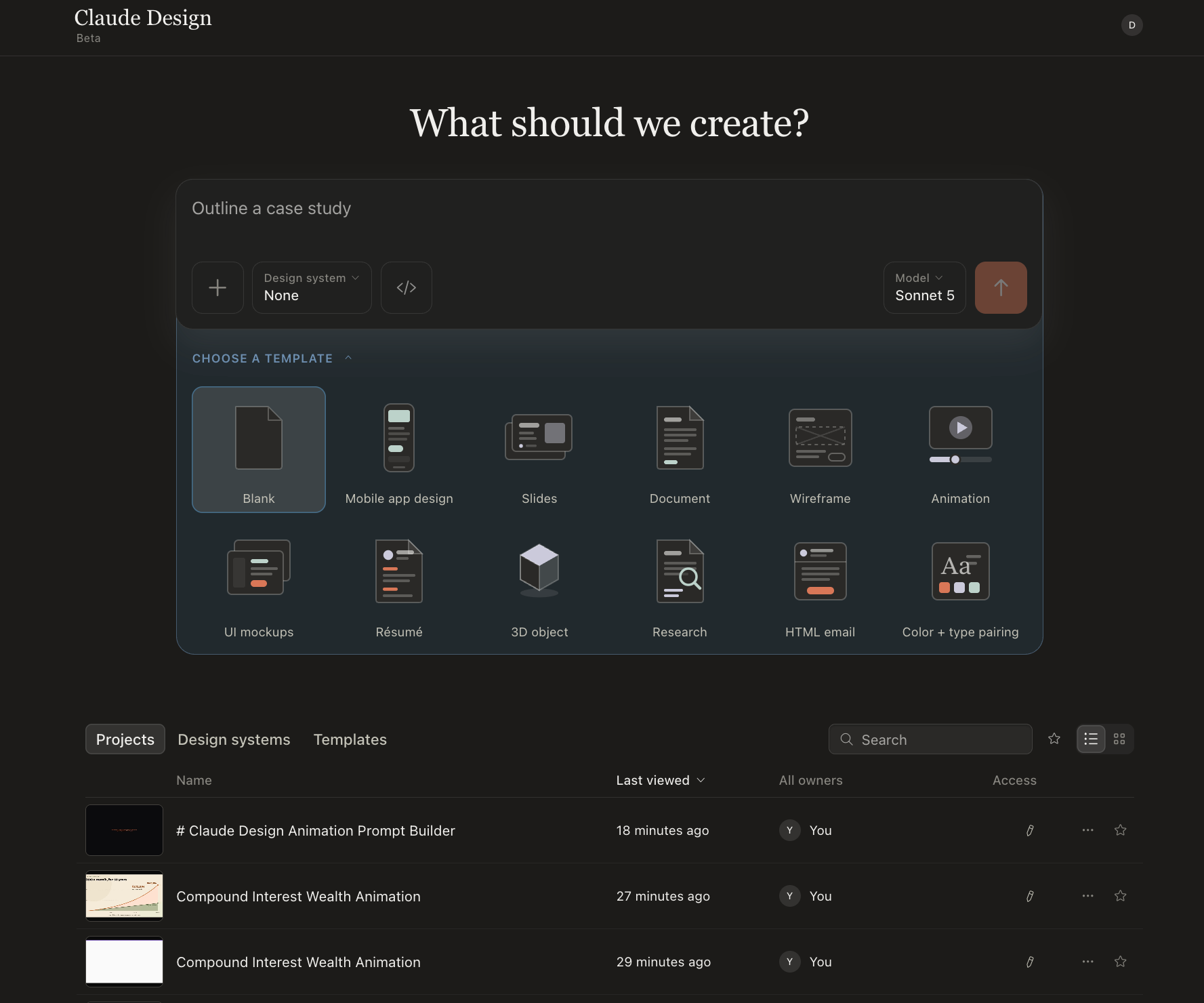
Before we get into the animations, let me give you a quick overview of Claude Design.
What it is: Claude Design is Anthropic’s visual creation workspace inside Claude. You describe what you want, add any context or references it needs, and Claude builds the first version on a canvas.
What you can create: The range is huge. You can use Claude Design for:
Mobile app designs, wireframes, interactive prototypes, and UI mockups
Slide decks, presentations, documents, one-pagers, and resumes
Landing pages, microsites, marketing materials, and social assets
Brand design systems with reusable colors, typography, assets, and components
Charts, dashboards, data visualizations, and visual explainers
Animations, motion graphics, and interactive experiences with 3D elements
You can start with a simple prompt or give it screenshots, images, documents, mockups, websites, existing brand assets, or a complete design system. Claude Design can also create or import a design system and reuse it across everything you make.
How you edit the result: Once Claude creates the first version, you can refine it through the chat, edit elements directly on the canvas, move and resize things, or pin comments to exact areas you want changed.
You can then share the project, export it as HTML, PDF, PowerPoint, or a downloadable project, send it to tools such as Canva, or hand it over to Claude Code.
Where to find it: Claude Design is available in beta on Pro, Max, Team, and Enterprise plans. Open it from the desktop app’s left sidebar or at claude.ai/design.
And because this article is about Claude Design animations, I thought the best way to give you an overview was to ask Claude Design to explain itself.
So this video was created by Claude Design, about Claude Design, inside Claude Design Animations. Very meta, I know.
Now let me show you what else you can use it for.
5 ways to use Claude Design animations
Below, I’ll show you several videos I created across five main use cases.
Launch and explain a product feature
Turn an article into a promo video or tutorial
Animate infographics for social media
Turn complex ideas into animated explainers
Create promotional and marketing campaigns
Naturally, I started with the things I need for my own work: promoting this newsletter, repurposing my articles into social content, launching new Amplifiers, and explaining how different workflows work.
But you can take the same ideas and use them for your own products, content, classes, presentations, or anything else you need to explain visually.
After the examples, I’ll show you exactly how I made them, including the prompts and references I used. I’ll also share a step-by-step tutorial on using Claude Design Animations, plus all the tips and tricks I learned along the way.
Use case 1: Launch or explain a product feature with an animated demo
For the first one, I used the Creative Feedback Loop Amplifier as my example. Claude Design had to understand how the feature works, then recreate the full experience as an animated product story.
If you’ve read the article or used the Creative Feedback Loop, you’ll see how closely the animation matches the product. The fidelity is just crazy good, and so is the video.
Use case 2: Turn an article into a promo video or tutorial
For this one, I turned my article about the Topic Research Amplifier for content creators into a video that shows what it does and how it works.
The result? I’m impressed. I should probably create one of these for every article and Amplifier, then share them across all my social platforms. They’re just that good.
Use case 3: Animate infographics for LinkedIn and social media
You might have already seen animated infographics on LinkedIn. They’re everywhere right now, and I keep seeing big creators use them to make static posts much more noticeable.
In the first version, the infographic stays fixed while Claude progressively reveals each section.
For the second version, everything stays visible from the first frame, while the animation highlights each section and guides your eyes through the information.
This one is based on my article about the writing skills I use. It’s the format I see most often on LinkedIn, but you can play with the motion and take it in many different directions. You can also turn the videos into GIFs in Canva or another editor because that format works better for social media.
PS. I created the original infographics using Amplifiers in Claude, then brought them into Claude Design to animate them.
Use case 4: Turn complex ideas into animated explainer videos
These two came together almost randomly, but I couldn’t stop thinking about teachers and educators while watching them. Imagine filling a class, workshop, training program, or presentation with short animations that make difficult ideas easier to understand.
Here’s how a Gothic cathedral redirects millions of kilograms of stone through arches and flying buttresses:
And here’s what happens when one dollar moves through an economy and becomes income for several different people:
I love these.
Use case 5: Create marketing campaign and product promo videos
Claude Design can also create complete marketing campaigns, product promos, brand stories, and kinetic typography videos.
Here, the sky really is the limit. If you’re a marketer or a founder creating videos for your product or business, there are so many directions you can take this.
For the first example, I asked it to turn Nike’s history into an unofficial kinetic typography campaign.
And here’s another one for Amplifiers:
This one could still use a few tweaks before I publish it, but it shows how far you can push the format when you give Claude a campaign idea, brand direction, product examples, and enough references.
Now that you’ve seen what it can produce, I’ll show you how I made everything and walk you through how to use Claude Design Animations, step by step.
And don’t forget, you also have the Claude Design Animation Prompt Builder inside Amplifiers Pro to help you create prompts for your own animations.
Get every prompt and reference behind the 10 animations
I put the complete production notebook for all 10 animations into one Google Sheet.
For every video, you can see:
The exact prompt I used and the finished Claude Design artifact
Every reference, article, screenshot, transcript, or page I supplied
My comments on what worked, what I changed, what I learned, and some tips
Get it here: