Create Branded Instagram Carousels in Claude With One Skill
Stop designing Instagram carousels manually. Build a Claude skill that creates them in your brand, from any topic, in minutes. Steal my workflow.

I have 72 Claude skills at this point. Most of them just let me do my work every day, across marketing, content, finance, operations, client work, and more technical areas too.
But a few of them are so good that they blow me away every single time I use them:
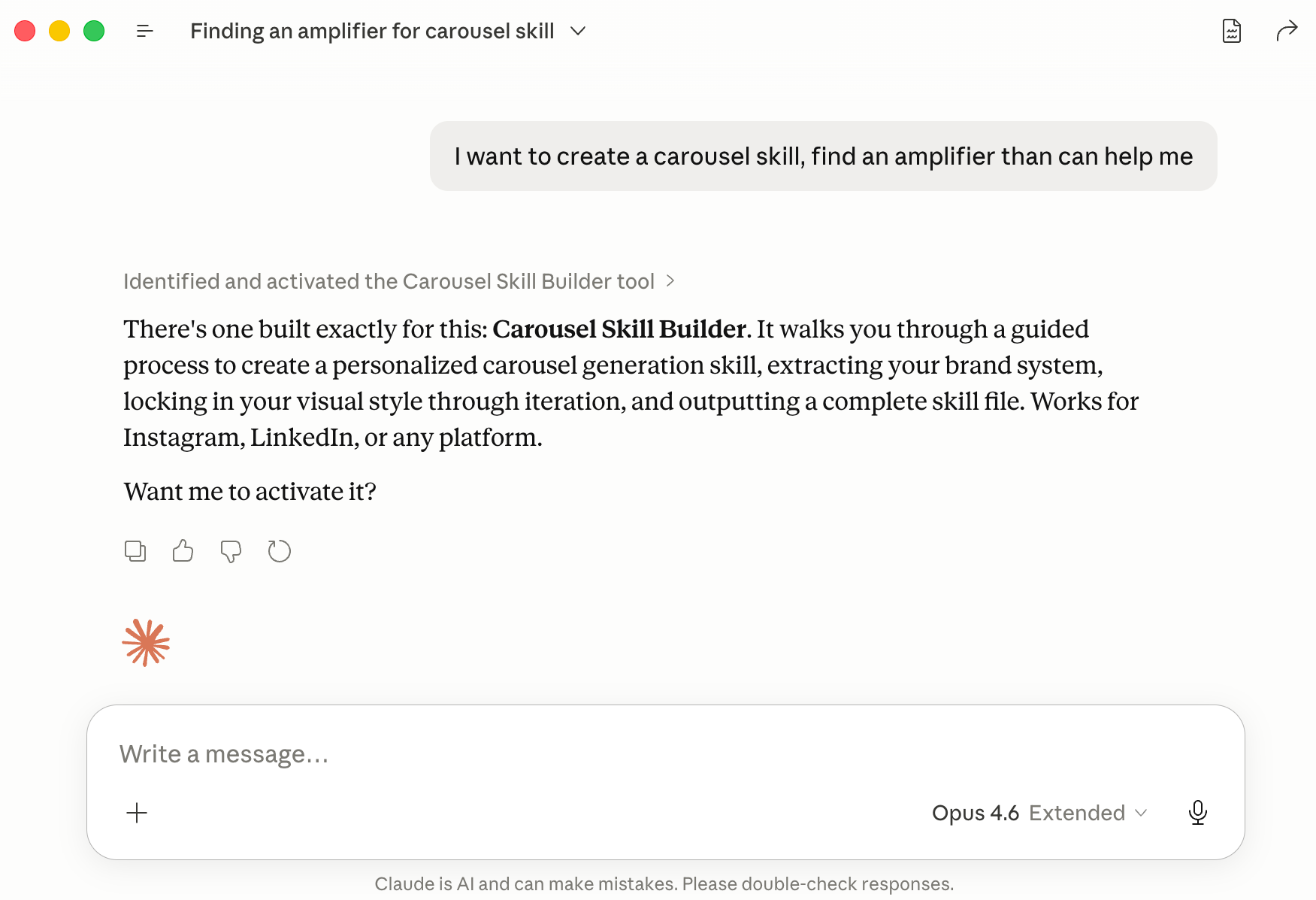
The writing skills. My voice DNA skill makes Claude write like me. My audience profile skill means Claude always knows who I’m writing for. My business profile means Claude always knows who I am, what my business is, and everything it needs for anything I create. These are universal. Claude applies them to almost everything I do.
The brand skill. This one makes sure everything Claude generates (documents, decks, PDFs, Word docs, dashboards, tools) comes out in my brand style. And if you ask me, I think it's better than Claude Design because the skill applies automatically every time I create something, which is way more convenient than opening another app. Once I had this in place, I was also able to build my lead magnet skill on top of it, because Claude already knew my brand.
The carousel skill. And this is the one I’m going to share with you today.
A few weeks ago I tried building Instagram carousels with GPT and Nano Banana, but I didn't put enough thought into it and wasn't happy with how they looked. Yet I knew it could be so much better, because GPT Images 2 is that good. So I set it aside wanting to retry it properly.
When I finally sat down and spent a full day on it, and saw how the results turned out… I opened an Instagram account that same day. And a Threads account. And a Facebook account. And in just two days, I built a month of daily content from carousels.
Because now I can repurpose my content by just dropping a link to my articles and asking Claude to create a carousel. That’s how easy it is.
After I shared it in the community chat, a lot of you got excited and wanted to build something similar.
I didn’t just want to share my skill with you. Having my carousel style wouldn’t do much for you, because yours should look like yours.
So I built a workflow that lets you create your own custom style, whether that’s for repurposing written content like mine, promoting your product, or anything else.
And now that I've tested it on multiple brands and seen the results, I'm convinced it does a great job. So today I'm handing it over.
In this article:
Three Instagram carousel styles I built with Claude (and how each one started)
Step-by-step: how to build your own Instagram carousel skill in Claude
See it in action: how I built the carousel skill for Playsense (video demo)
Tips and tricks for building a carousel skill that works for you
PS. I just started these accounts from zero with no social presence besides Substack. Follow me & help me grow 💜 You’ll get quick AI tips there too.
Three Instagram carousel styles I built with Claude (and how each one started)
To show you how flexible this is, I built three different carousel styles for three different brands. Each one has a completely different vibe, different colors, different layouts.
Mine came first through a lot of messy iteration, and the other two were built through the workflow I created from that process, way more organized and guided.
Style 1: AI Blew My Mind — realistic, modern, screenshot-friendly
What I started with: Brand colors, fonts, and reference images from other people’s carousels that I liked.
The vibe I wanted: Modern, clean, realistic. Something where I could either pull images from my article, upload my own screenshots, or let it generate visuals from the content.
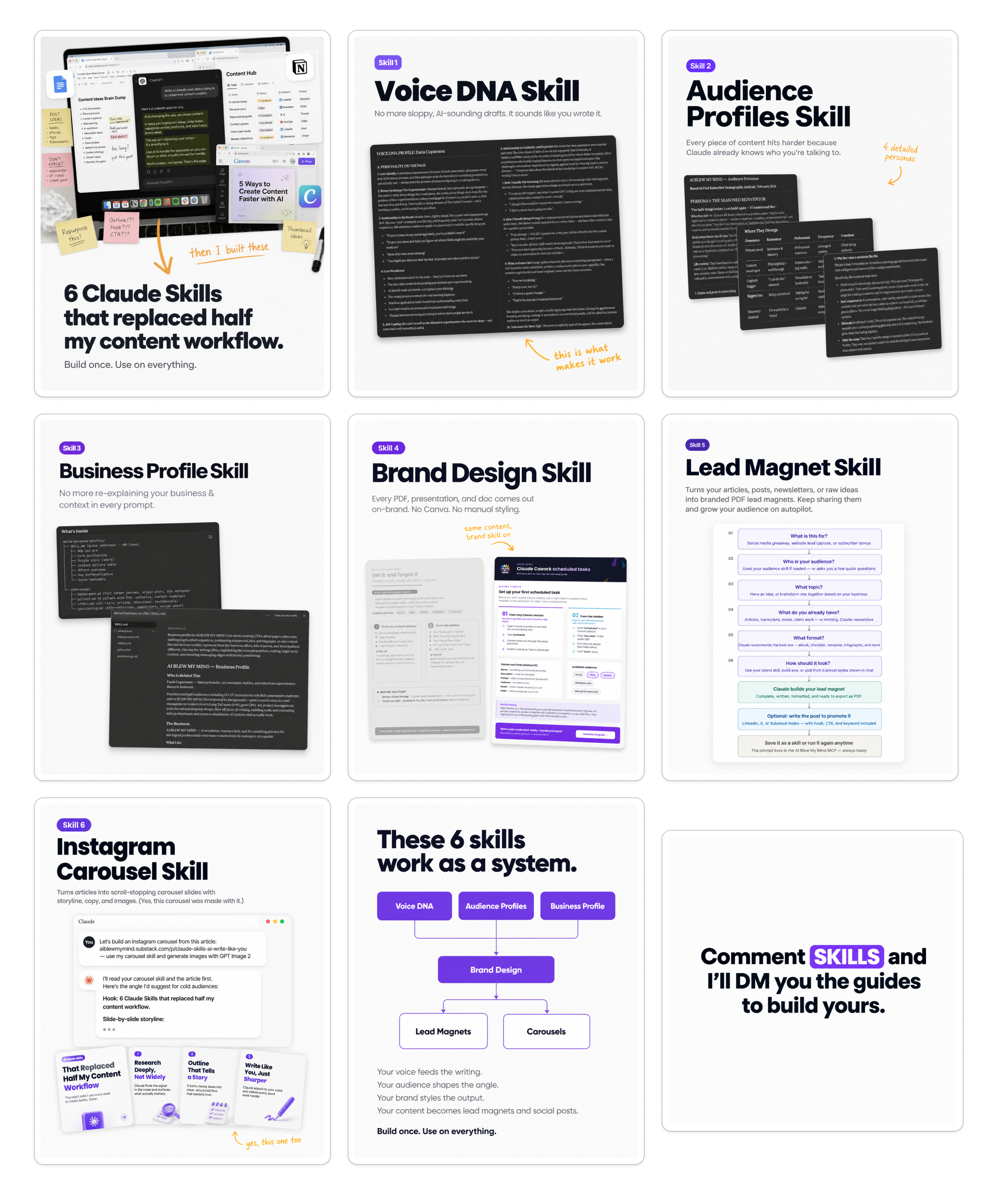
Here’s what it looks like when I share screenshots and the skill styles them into the carousel:
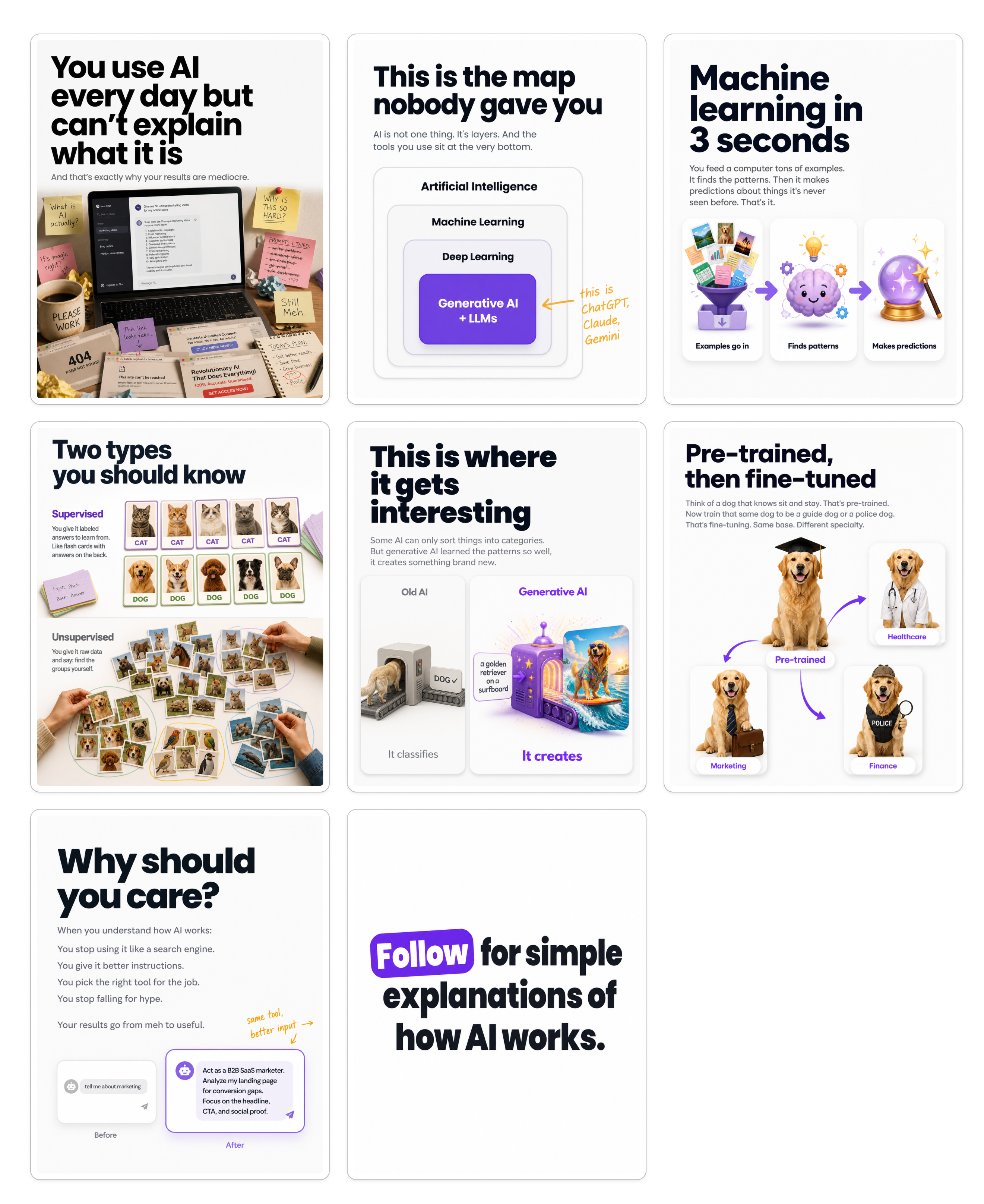
And here’s how it looks without any screenshots, where I just give it content and it generates the visuals:
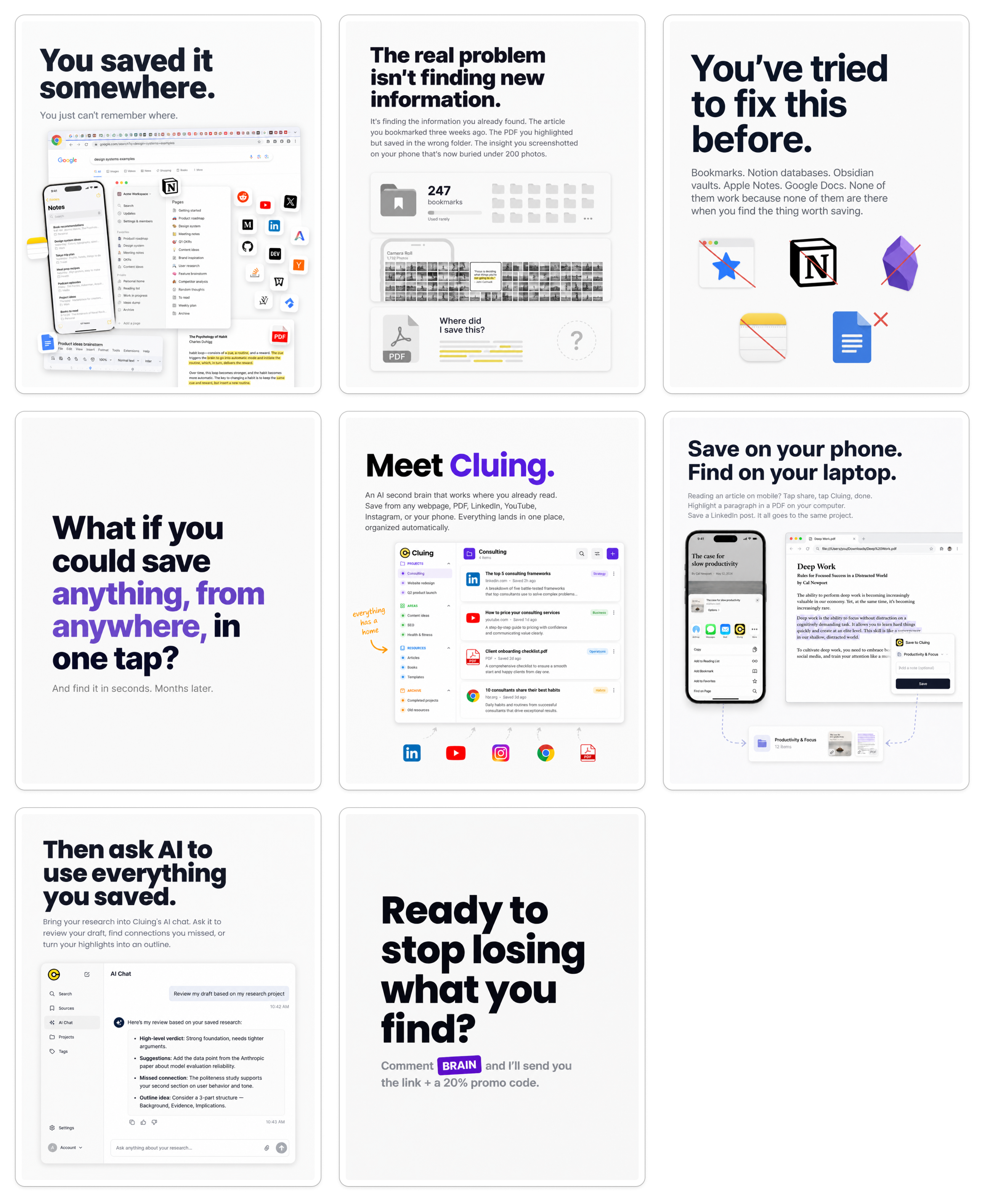
And one more, where it takes my article, analyzes the images in it on its own, and recreates them so they fit the carousel. These aren’t screenshots, but they’re not built from the LLM’s imagination either. They’re inspired by the content and images I shared in my article on Cluing and recreated:
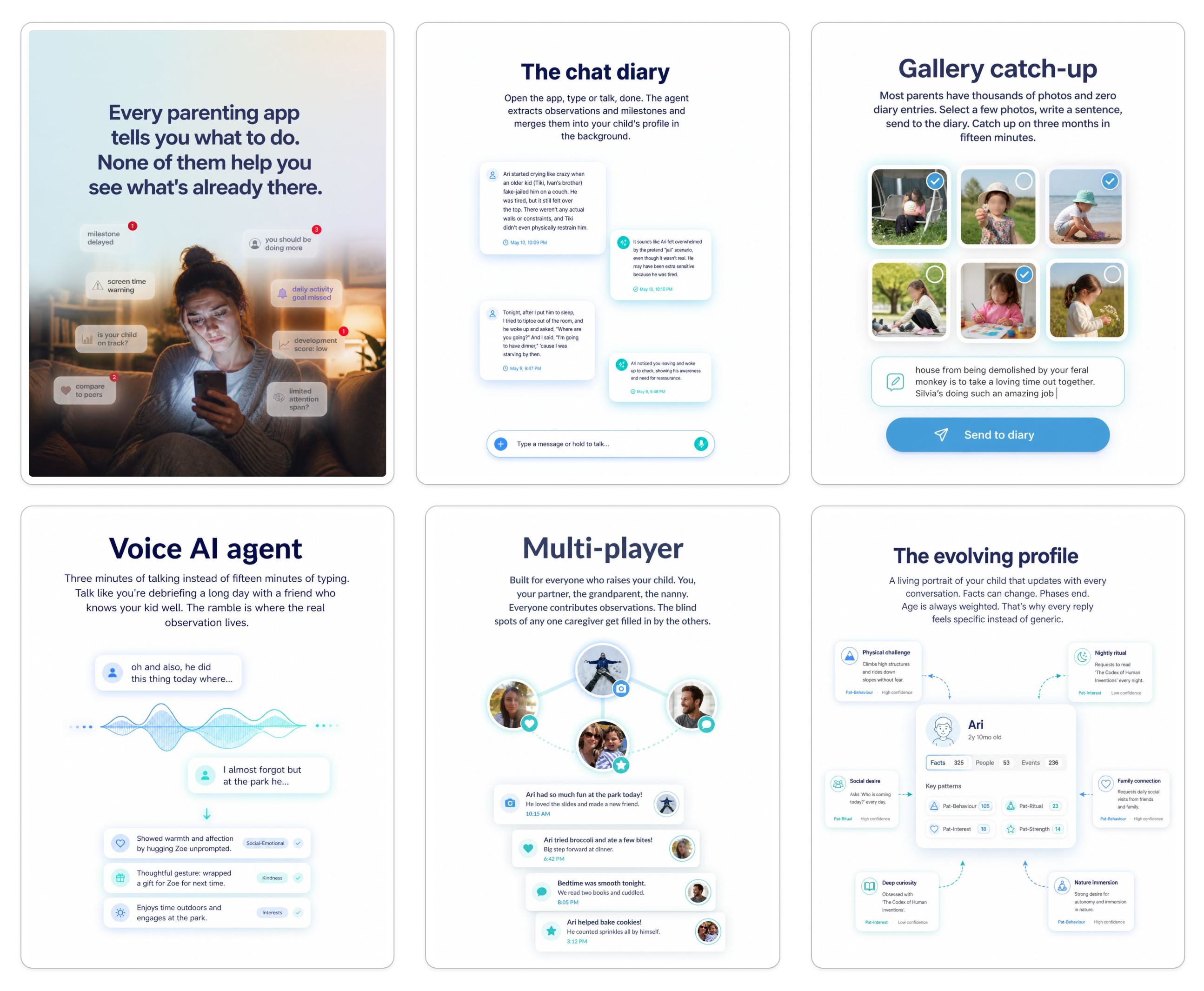
Style 2: Playsense — soft, drawing-style for an AI parenting app
To test more varied styles, I also built a carousel style for Playsense, the AI parenting app that my business partner Matei is building.
What I started with: A gradient background image (the one you see in slide 1 below), the website URL, and the brand colors. Then I picked a style from the workflow I created, and iterated from there.
The vibe we wanted: Drawing-like, softer, with different backgrounds on the hook and CTA slides. No titles on each slide.
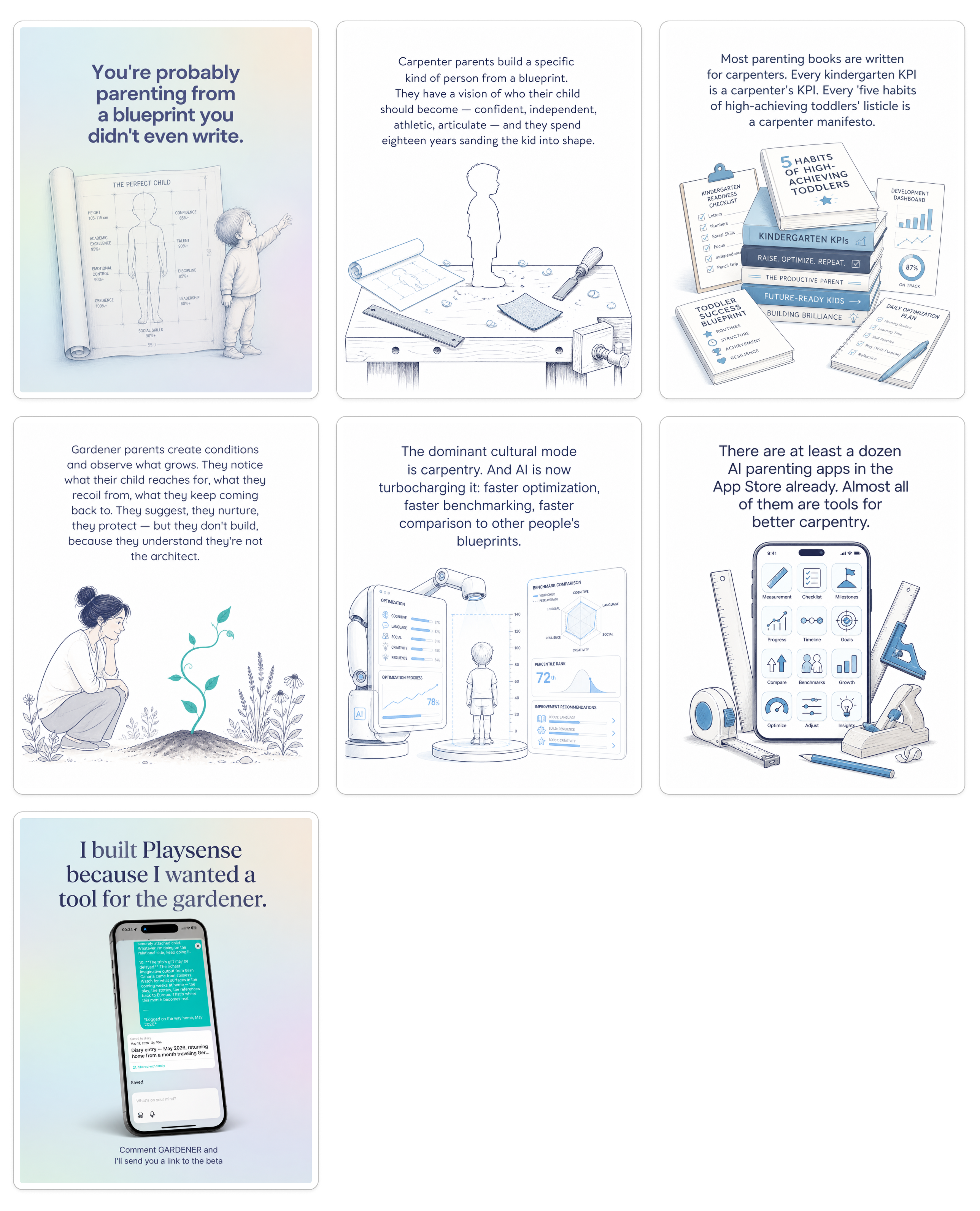
I also created a second style for Playsense, more promotional and a bit more realistic, while still keeping the brand colors and overall feel. (You can build multiple styles in the same skill if you want to switch between them based on what you're posting.)
Style 3: Robots Ate My Homework — papyrus-toned, on-brand for Mia Kiraki 🎭
Because I was still in test mode and wanted to make sure the workflow can generate diverse styles for different brands and visions, I offered in the AI Blew My Mind community chat to build a skill for one premium subscriber.
Mia responded first, so I built it for ROBOTS ATE MY HOMEWORK.
What I started with: The brand logo, colors, chosen fonts, a couple of reference images she had created earlier, with comments on what she liked and didn’t like in each one, and some direction on the visual mood she was going for.
The vibe Mia wanted: On-brand, logo on the first slide, papyrus color background, consistent with her existing visual identity.
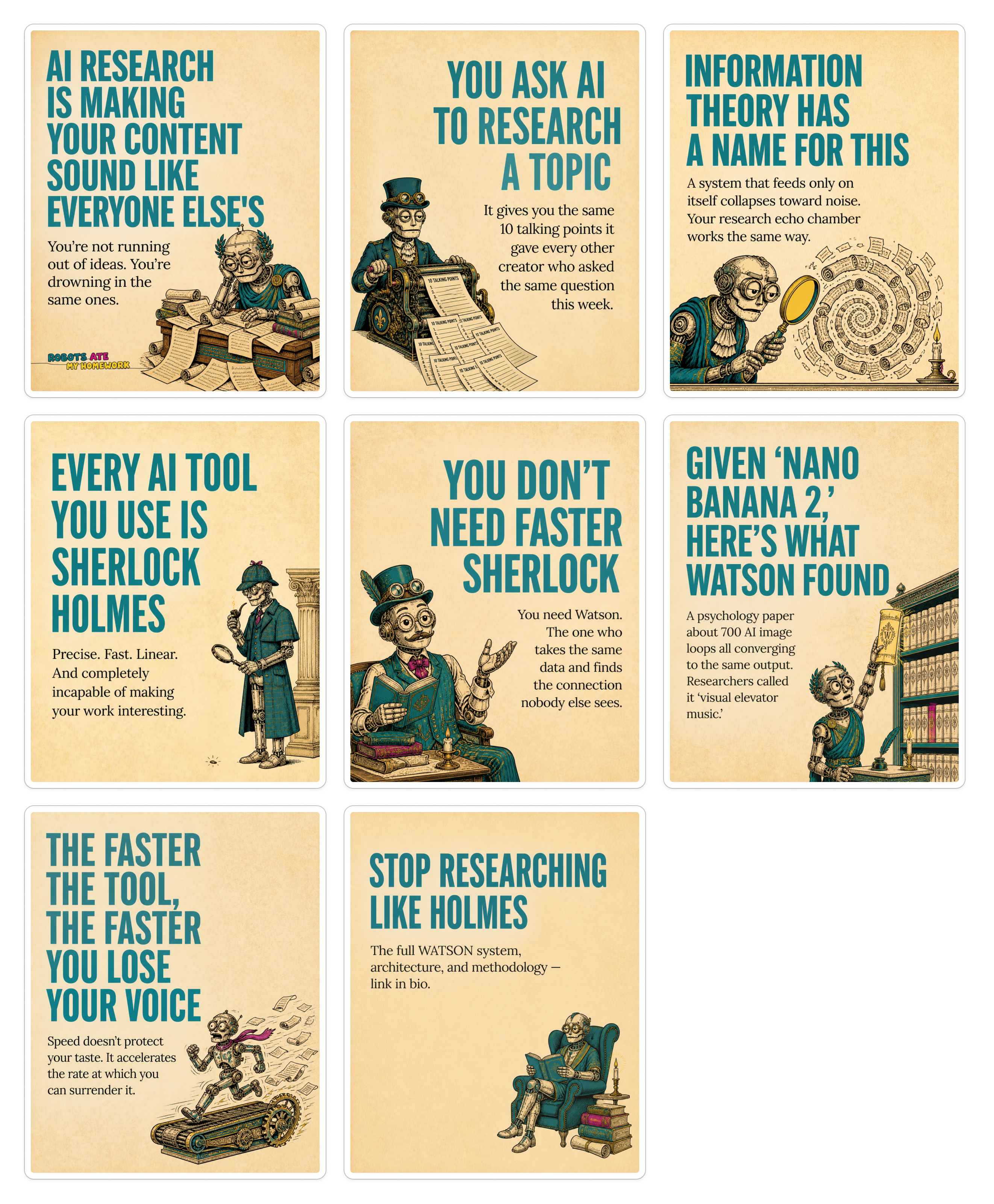
Done with the demos. As you can see, very different styles, very different brands, all built from the same workflow. Whatever vision you have for yours, this can fit it.
How the carousel workflow works (the big picture)
Now that my skill is working, using it is the easy part. All I do is this:
I give it an article or a piece of content. I can paste text, drop a link, mention a topic, whatever. You can use the slash command like I did with
/instagram-carousel, or just mention “carousel” and Claude will know what to use anyway.
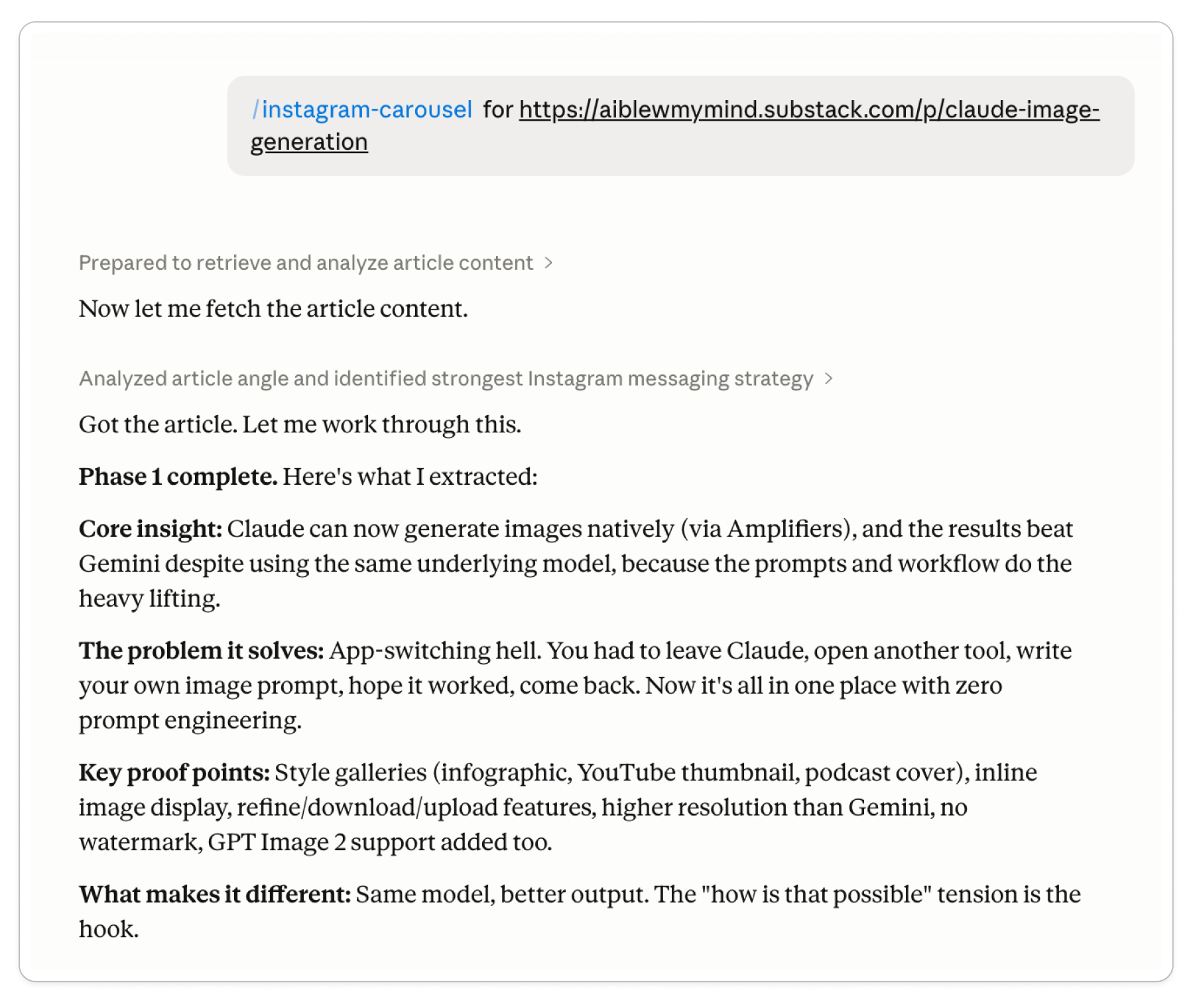
Claude proposes a storyline. It gives me a copy and visual proposal for each slide. If I approve, it moves to generation.
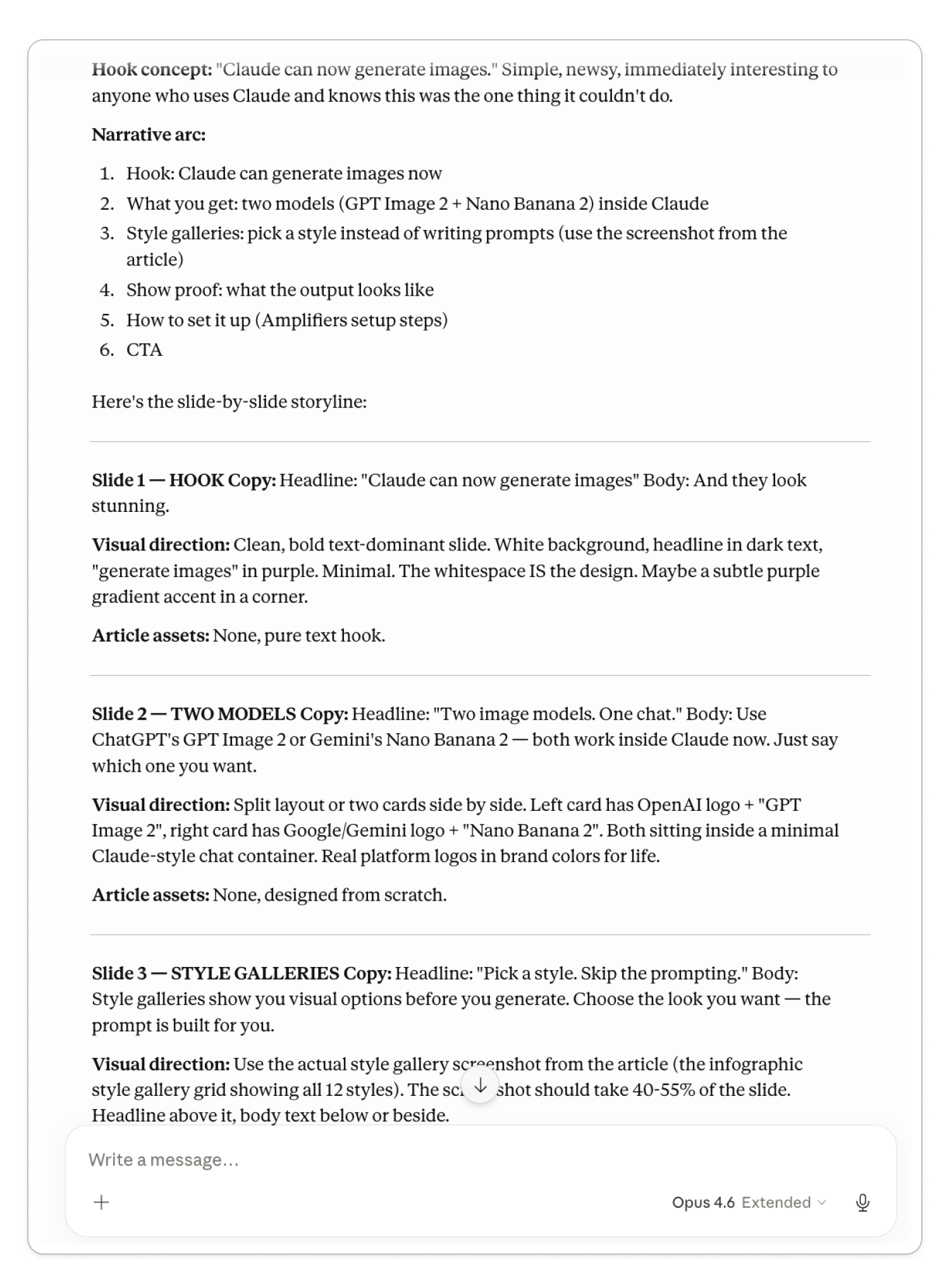
This middle step is where I still iterate sometimes. The copy or the hook. Maybe I want a different direction, maybe I don’t like a specific word, maybe I visualize something different. That’s the human-in-the-loop part.
Once I'm done with that, Claude starts generating the images, and I'm ready.
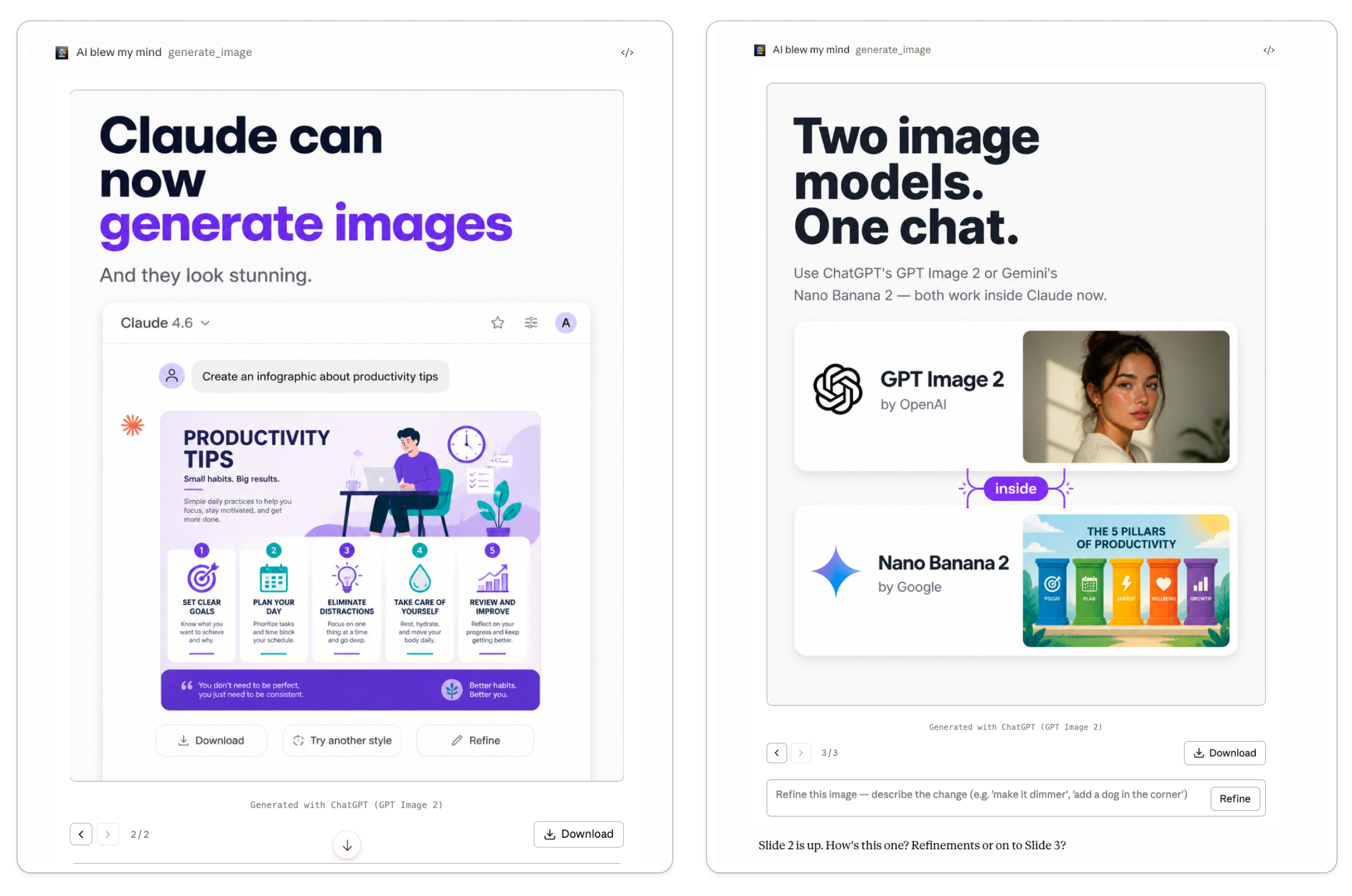
That’s it. Simple as that.
What you need before you build your carousel skill
Start by setting aside 30 to 60 minutes, then make sure you have these things in place before you begin.
1. Your visual branding (colors, logo, fonts, references)
Prepare whatever you have:
Brand colors (this is the only thing that’s mandatory)
A logo, if you have one (Claude can extract your colors from it)
Fonts, if you have specific ones
A website, so Claude can analyze your style
Reference images, if you have something you created in the past or something you liked on Instagram
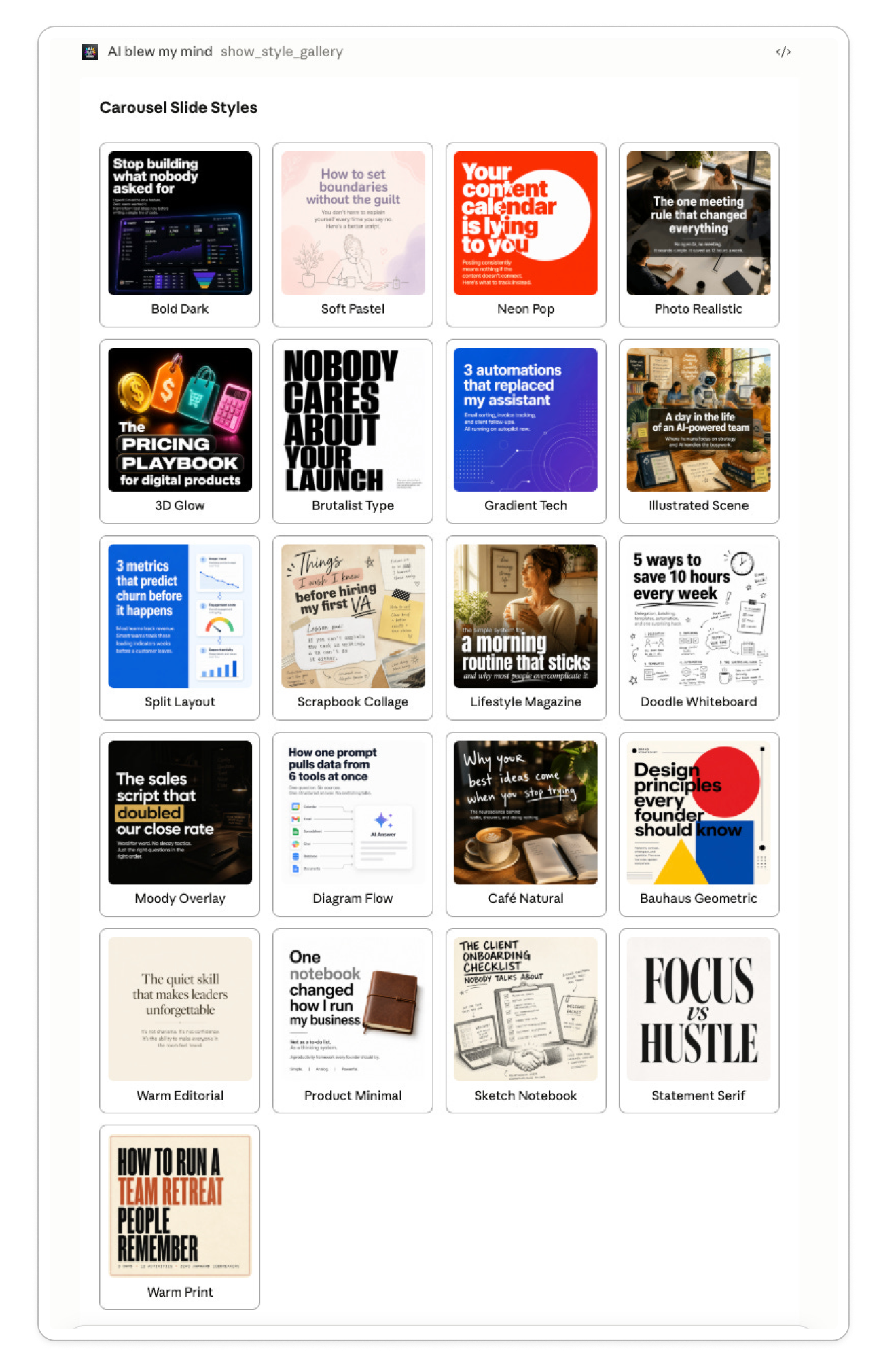
If you don't have reference images, Claude will show you a style gallery I created so you can pick one that fits (see below). It's a starting point, not a locked-in choice. You can pick something that resembles what you have in mind and then iterate on it until it works for your brand.
2. Amplifiers (AI Blew My Mind MCP)
You need Amplifiers set up, which gives Claude access to 30+ tools, my prompts and workflows (including the one that will build your carousel skill), and image generation through GPT Images 2 and Nano Banana.
You can also use this workflow in ChatGPT without API keys, but ChatGPT doesn't have skills. You'd save the instructions in a Custom GPT instead.
3. Your API keys for image generation (GPT Images 2 or Nano Banana)
Add your API keys at auth.aiblewmymind.com before you start. The workflow defaults to GPT Images 2 for generation, and I'd recommend keeping it that way because the results are so much better.
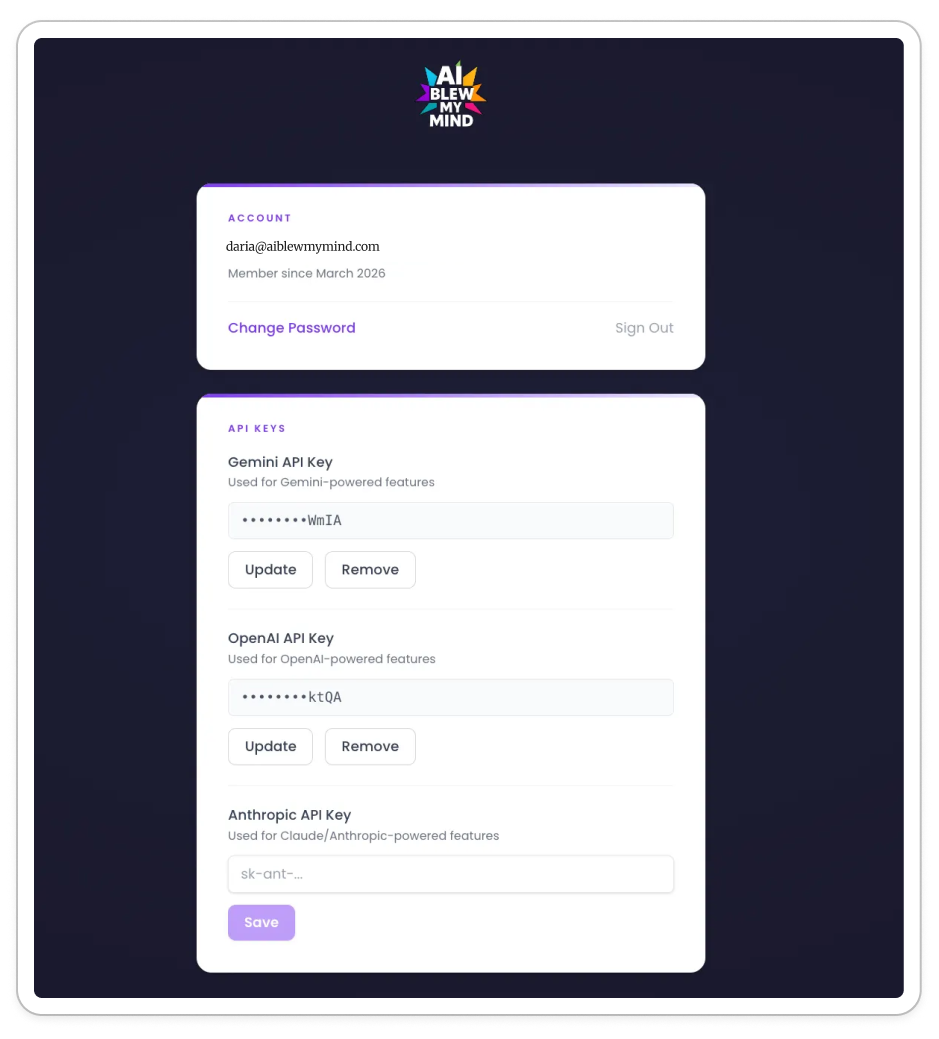
As for cost, it’s around $1 for 20+ images. And if you live in Claude like I do, this setup makes more sense than using ChatGPT for carousels. Claude already knows your style, your writing, your preferences. (And PS. you don’t need a ChatGPT subscription just for images when you can add your own API key and likely spend less.)
If you've never set up Amplifiers, here's a quick setup guide with screenshots for both Claude and ChatGPT.
Everything below this point is for premium subscribers: a video of me building the Playsense carousel skill from start to finish, the step-by-step process to build your own, the workflow inside Amplifiers, and the tips I picked up along the way.
If you’re not a premium subscriber yet, upgrade to unlock this post and all my paywalled content, plus every workflow and tool inside Amplifiers.
Step-by-step: how to build your own Instagram carousel skill in Claude
I spent a couple of days building a workflow that guides you through the whole thing. Claude walks you through every decision step by step, so all you need to do is follow along and give feedback.
By the end of it, you'll have your own carousel style ready to package into a skill.
Even though I'll show you the process for Claude, you can use it in ChatGPT too if you have Amplifiers set up there. Once you have the final Markdown file with your skill's instructions, you can add it to a custom GPT.
Open a new chat in Claude (or ChatGPT) and call the Amplifier
Either tell it what you need:
“I want to create a carousel skill, find an amplifier that can help me.”
Or go straight to it:
“Use the carousel skill builder amplifier and help me build my custom carousel skill.”