
The Perfect Christmas Present Doesn't Exi...
11 AI-powered Christmas gift ideas that feel like holiday magic

I went out for dinner last weekend and the restaurant was already decked out for Christmas. Lights twinkling, carols playing, the whole atmosphere pulling you into that cozy, magical feeling.
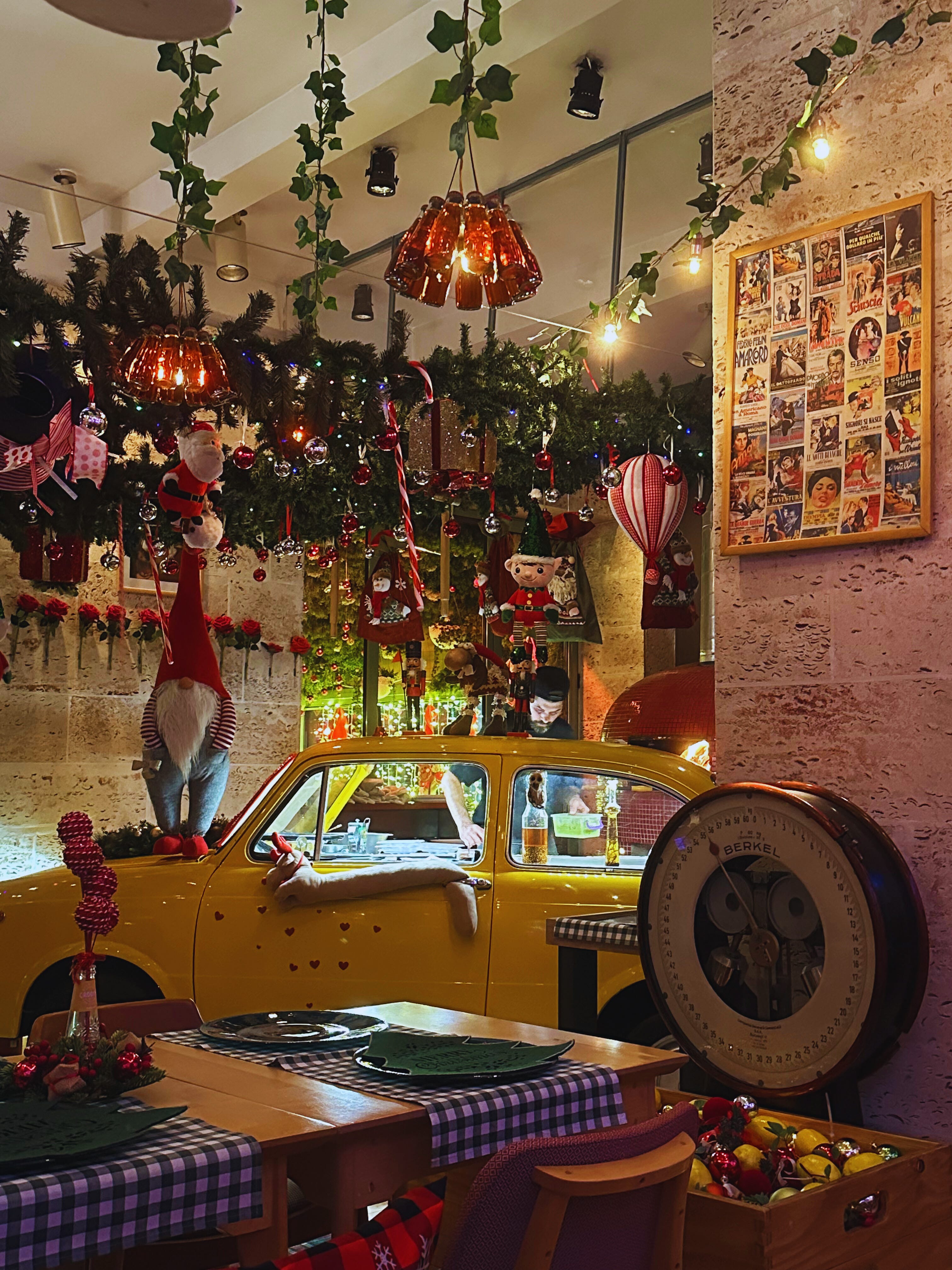
It instantly got me thinking about gifts.
I’m a sucker for them, not just the physical kind (though those are great too, who am I kidding), but the ones that make people feel something, the ones that show you really thought about them.
So I wanted to put together this post with AI-powered Christmas gift ideas that make people light up the moment they ‘unwrap’ them.
I know, I know, you’ll say it’s too early for that and there’s still time before Christmas. But go to any store or shopping mall, and Christmas decorations will already be there. Besides, it’s always better to start early and have everything ready than scramble at the last minute.
And I’ll admit, if you start making them now, the hardest part is holding onto the excitement until the moment you actually hand them over. That’s my annual struggle.
Before we begin, I’d suggest you get into the jolly holiday spirit too. If you want the full atmosphere while reading, throw on some Christmas music, grab something warm to drink, get cozy, and let’s explore what’s possible. I’ve got this holiday playlist playing as I write this.
Gift #1: A personalized video message from Santa
Imagine sending a special message to someone special through Santa. He calls them by name, mentions something only they’d recognize, and delivers a message you wrote yourself. It’s personal, funny, and the kind of thing that makes people stop mid-laugh and go, “Wait… how did you make this?”
Perfect for: your kids, nieces, nephews, or that friend who’s still a kid at heart.
You can even make a few of these messages, stitch them together, and play them as a short movie at the Christmas table when everyone’s gathered. Tell me that wouldn’t be the cutest thing.
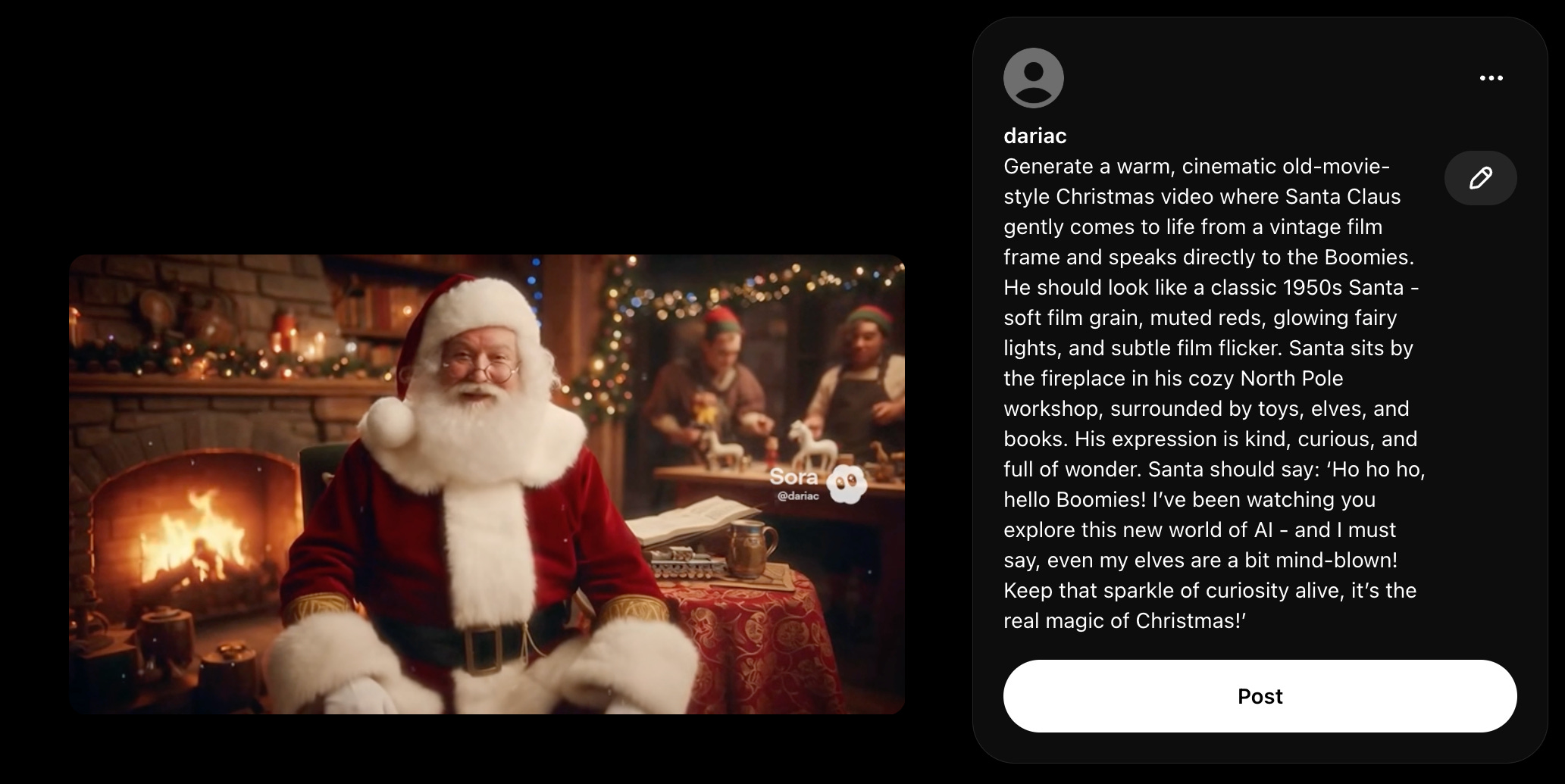
This first one I created is for no one else but you, my readers:
Behind the scenes:
How to create yours:
Head to Sora and log in with your OpenAI account. (If it’s not yet available in your country, use a VPN or switch to Veo instead)
Write a prompt similar to this one:
Generate a warm, cinematic old-movie-style Christmas video where Santa Claus gently comes to life from a vintage film frame and speaks directly to [the Boomies]. He should look like a classic 1950s Santa — soft film grain, muted reds, glowing fairy lights, and subtle film flicker. Santa sits by the fireplace in his cozy North Pole workshop, surrounded by toys, elves, and books. His expression is kind, curious, and full of wonder.
Santa should say something connecting Christmas magic with [curiosity and AI discovery, such as: ‘Ho ho ho, hello Boomies! I’ve been watching you explore this new world of AI - and I must say, even my elves are a bit mind-blown! Keep that sparkle of curiosity alive, it’s the real magic of Christmas!’]
Choose your video orientation and duration.
Download your video.
💡 Pro tip: Want a longer video? Create a Santa character after your first video, then generate multiple clips with the same character and stitch them together. Should I create a full tutorial on this? Let me know in the comments.
Gift #2: A custom Christmas video starring your friends
Imagine turning your friends into Santa’s elves and surprising them with a custom Christmas video that stars all of you. It’s personal, funny, and guaranteed to get a big laugh when you share it.
Perfect for: your closest friends, teammates, or your favorite group chat crew.
You could play it when you’re all together, send it out as a Christmas surprise, or upload it online, turn it into a QR code, print it, and stick it on their wrapped gifts so they can scan it and watch the movie you made.
Behind the scenes:
I created this one with Veo 3, since Sora doesn’t let you use reference images of people.
I started by making a collage with four photos, one of each of us side by side. Then, to get a real Christmas scene, I asked ChatGPT to help me write a prompt for Nano Banana that would turn us into elves beside Santa. It’s better to generate the image first. Going straight to video doesn’t look as good.
The best pipeline is text → image, and then image → video for higher quality output.
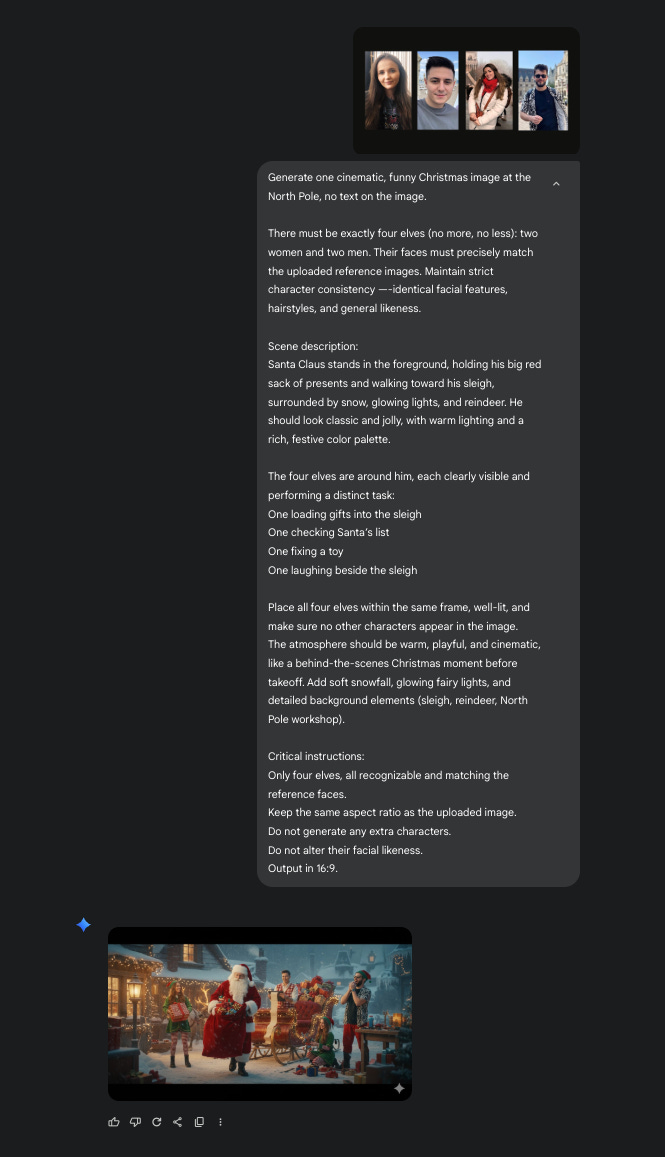
Once I got the final image, I used Veo to animate the scene.
How to create yours:
Create a collage with you and your friends (side by side) in Canva or any tool you like.
Use ChatGPT or Gemini to write your first prompt for generating the image you’ll later animate into a video. Describe the scene in detail: everyone’s gender, roles, and how many people are in it. Sometimes the model hallucinates and adds extras, so clarity helps.
Go to Gemini and select Create image from Tools. Paste your prompt and keep generating until the composition feels right and the faces look familiar. When you’re adding multiple people, just know that character consistency drops compared to when you’re working with a single person.
Once you have your image, open another chat in Gemini, click Create videos with Veo under Tools, upload the image, and ask it to animate the scene into a short Christmas clip. (Here’s the prompt I used.)
Download it, share it with your friends or go a step further and make a QR code that links to it for a fun reveal.
Gift #3: Animated old photos that bring memories to life
Who said technology can’t be embraced by older generations? Just imagine the look on your grandparents’ or parents’ faces when they see a cherished memory, an old photo that suddenly moves again.
Perfect for: your parents, grandparents, or anyone nostalgic about family memories.
You can do it with old photos, but it works beautifully with more recent ones too, from moments you love and never want to forget.
PS. I literally can’t wait to bring my parents’ old pictures to life with this.
Behind the scenes:
I used Veo 3 to animate a vintage photograph I found online. It recreated subtle, lifelike motion that made the image feel real again while keeping its nostalgic tone.
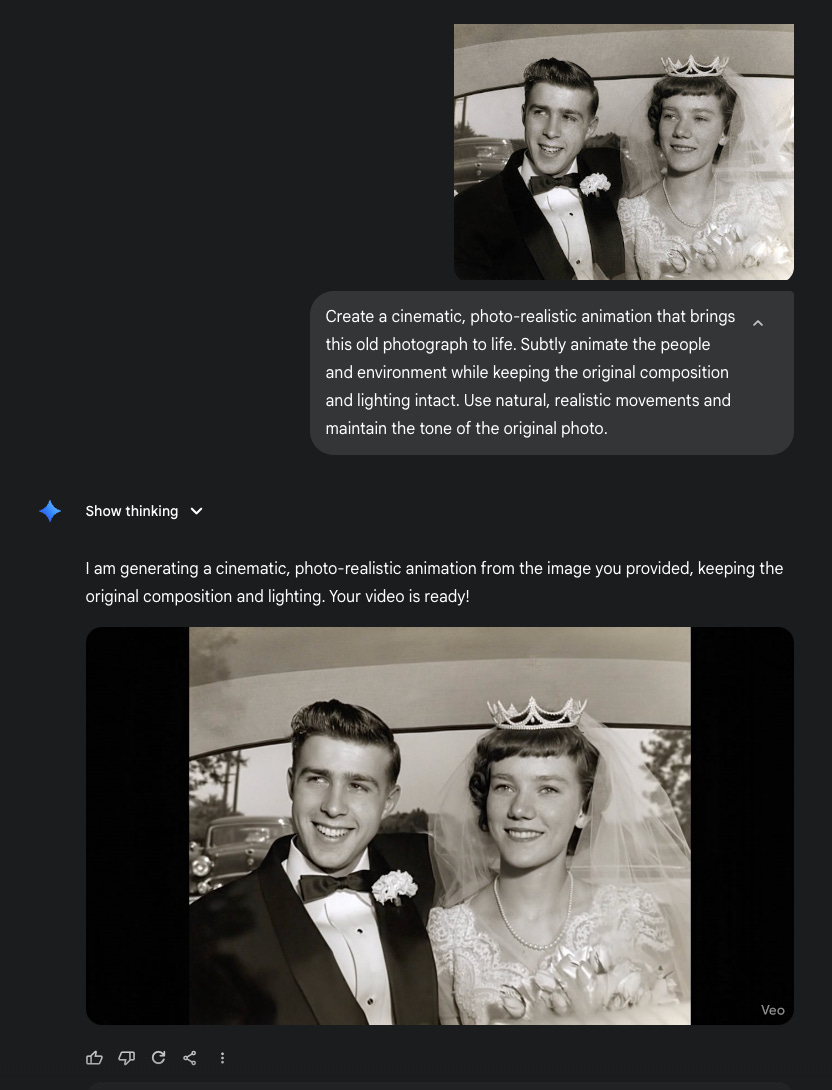
How to create yours:
Go to Gemini and log in with your Google account.
From the menu, select Tools → Create videos with Veo.
Upload your chosen photo.
Use a prompt like this:
Create a cinematic, photo-realistic animation that brings this old photograph to life. Subtly animate the people and environment while keeping the original composition and lighting intact. Use natural, realistic movements and maintain the tone of the original photo.
Download your 8-second video.
💡 Pro tip: This works best with portraits or photos that already have clear lighting and visible facial details.
Gift #4: A personalized storybook featuring your kid (or anyone)
Imagine your child going on an adventure with Santa, written right into a storybook. They become part of the tale, helping Santa deliver gifts, meeting elves, or discovering the magic of Christmas Eve.
Perfect for: kids, nieces, nephews, or anyone who loves bedtime stories.
You can download it as a PDF, print it as a book, or even listen to the narrated version before bed. Maybe even print a QR code on a card, envelope, or gift box so when scanned, it opens the book and feels like it just arrived from Santa himself.
It’s the kind of story every kid dreams of.
Behind the scenes:
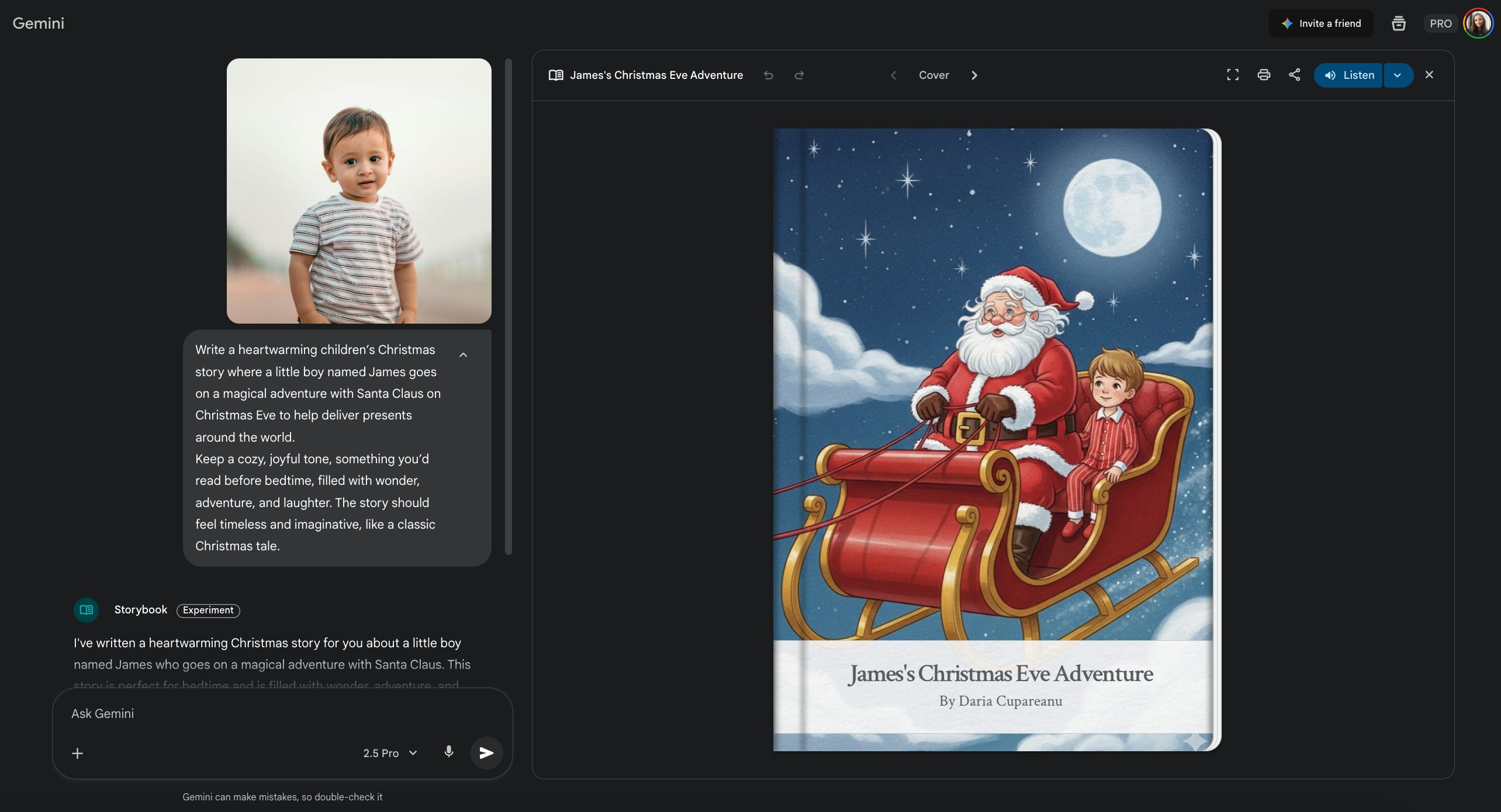
I created this by first downloading a photo of a kid from the internet, then dropping it as a reference image into the Storybook Gem in Gemini, along with a short prompt.
How to create yours:
Go to Gemini and select the Storybook Gem.
Upload one or more photos of your child (or whoever the story is about).
Write a short prompt describing the concept of the story. Here’s the one I used. If you want it to be in another language, just write your prompt in that language.
Let Gemini generate the story, illustrations, and audio narration.
Download the finished story as a PDF or listen to the audio file.
💡 Pro tip: You can build an entire series of bedtime stories by reusing the same character photo and changing the storyline each time. It works for adults too.
Gift #5: A custom Christmas song made just for them
Imagine gifting someone a song written just for them. The lyrics tell your story, inside jokes and all, and the melody sounds like something that could play in a Christmas movie. It’s creative, romantic, and a little bit magic.
Perfect for: your partner, close friends, or anyone you share funny memories with.
You can play around with the style — romantic, funny, lo-fi, or pop — and make it as personal as you want.
Then, create a QR code linking to the track, print it, and stick it on your gift box or card. When they scan it, the song starts playing, and you’ll have your own little soundtrack moment.
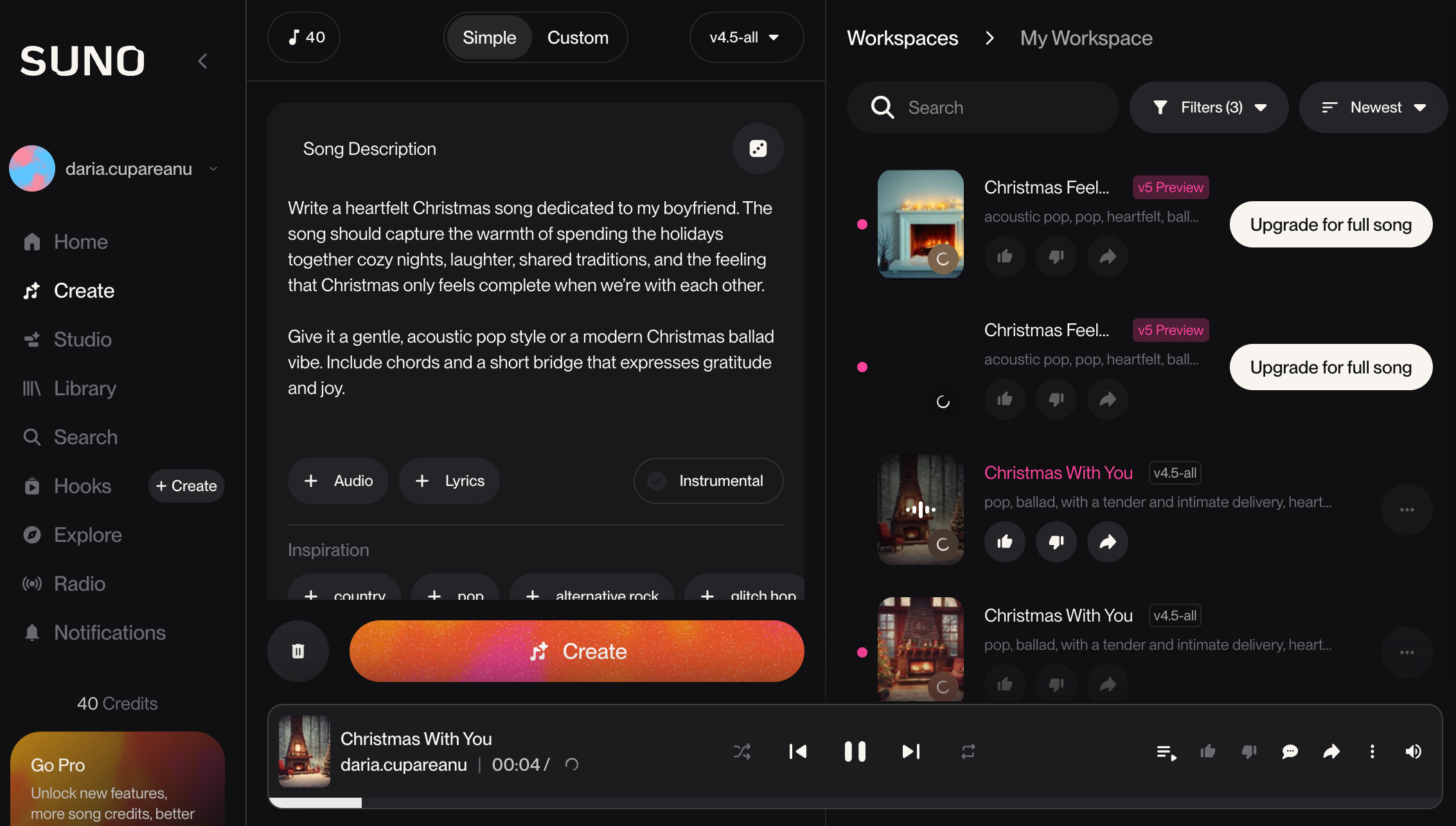
Mine turned out very romantic (I had a few versions I liked more, but I’d need a paid account to download them all):
Behind the scenes:
First, I went to ChatGPT and asked it to help me write lyrics. The I dropped them into Suno (but you can use Mureka instead), and in seconds, it generated a full song.
How to create yours:
Go to ChatGPT (or any AI model you like). Ask it to help you write a song based on your relationship, shared memories, or inside jokes.
Once you’re happy with the lyrics, go to Suno, create an account, and paste them in.
Let it generate your track, then listen and tweak until it feels right.
Download your song.
Gift #6: Personalized Christmas-themed photos for print or merch
Turn your favorite photos into Christmas art that looks straight out of a festive photoshoot. It can be cozy, funny, or cinematic. Once you have it, you can print it on anything you want.
Perfect for: families, couples, or friend groups who love giving thoughtful keepsakes.
You can print them as stickers, make a collage with the whole family, or frame them all as a mini gallery wall. You can also turn them into sweaters, mugs, notebooks, Christmas globes, t-shirts, or even pijamas.
If you want a playful twist, you can also generate cartoon or illustrated versions. Just tweak your prompt so it isn’t photorealistic.
Behind the scenes:
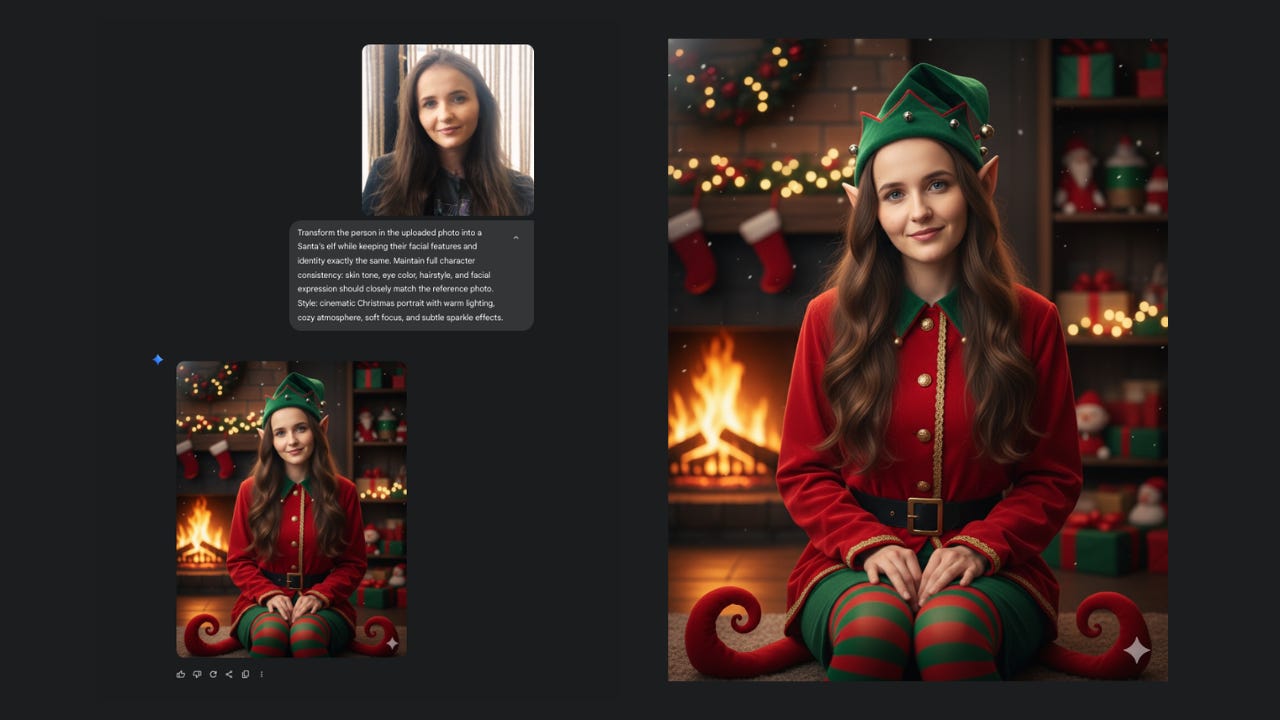
I started by uploading a photo reference of myself and used Gemini to create Christmas-themed images that looked cozy and cinematic.
How to create yours:
Go to Gemini. From Tools, select Create image.
Upload your photo and paste your Christmas-themed prompt or tweak mine for your own style.
Repeat for everyone you want to create photos for.
Print them, or upload them to any print-on-demand site to turn them into sweaters, mugs, ornaments, or other Christmas merch.
Gift #7: Custom Christmas cards that actually feel personal
Forget generic store cards. With AI, you can create much better ones. Each one can be personalized for every person you’re giving it to or turned into a family card like the example below.
Perfect for: grandparents, friends, or anyone you want to send something heartfelt to.
You can print them, frame them, or keep them digital and send them around with your Christmas message. It’s the kind of small gesture that ends up being remembered long after the holidays are over.
Behind the scenes:
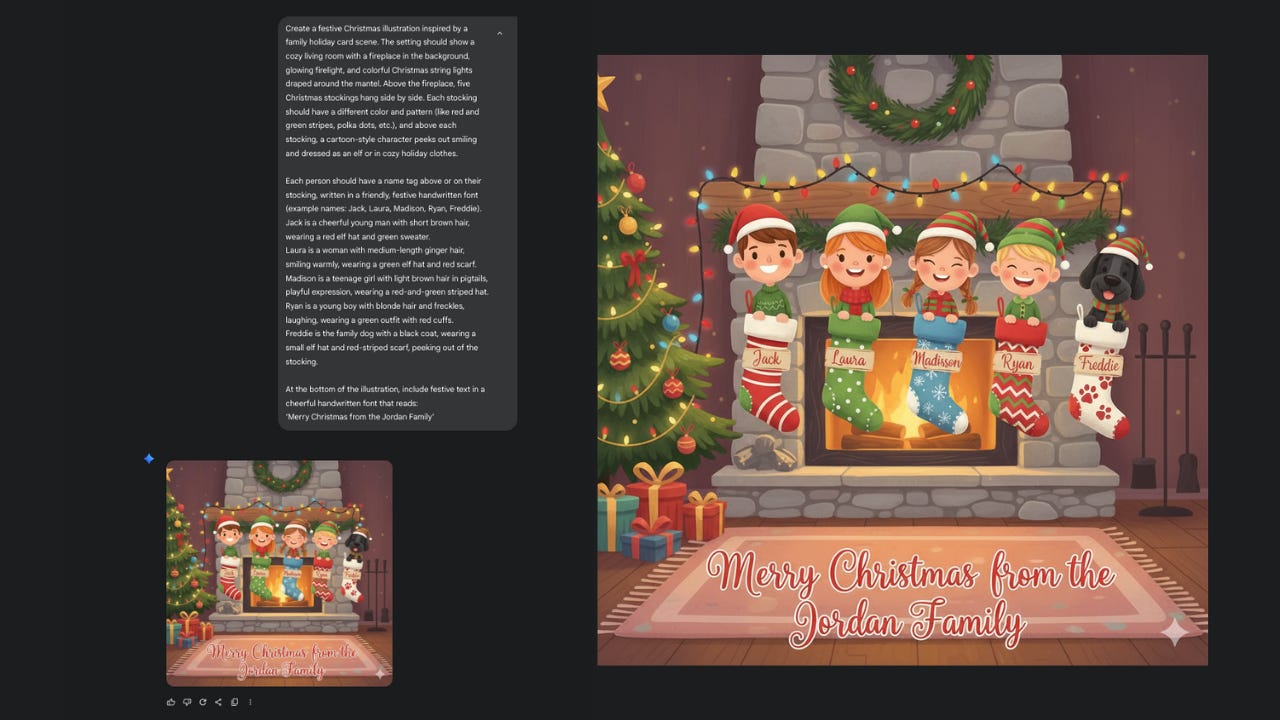
I used again Gemini’s Nano Banana to create this card by describing a cozy living room Christmas scene and including details about each family member: how they look, what they’re wearing, and even their names on the stockings. It instantly turned into a warm, cartoon-style illustration that looked like a real holiday card you’d find in a boutique shop.
How to create yours:
Go to Gemini. From Tools, select Create image.
Use a prompt like mine or adjust it to match your own family or group of friends. Add names, outfits, and a cozy background that feels like you. You can even include a short Christmas message at the bottom.
Download your image.
Print it as a card or send it digitally. Both look great.
Which of these gift ideas was your favorite?
More AI gifts ideas to try
If you still feel like creating, here are a few more ideas you can explore.
A visual future, the aspirational photo album
Blend real photos with AI-generated scenes of what you want to create together with your partner, a close friend, or a family member you’re building a future with. Capture your dream home, trips you’re planning, or everyday rituals you hope to keep. Add short, reflective captions. Use Gemini for the images and Canva or any photo book service for layout. Turn them into a photo album or a vision board that tells your shared story.
AI “open when” letters or video letters
Ask ChatGPT or your preferred AI model to help you write letters, memory notes, or “open when” envelopes inspired by your shared history or old messages. Make each one personal: “Open when you’re feeling nostalgic”, “Open when you need a laugh”, “Open when you miss me”. You can keep them written or turn them into short videos using Veo or Sora.
AI-Printed Calendars
Design a photo calendar featuring your favorite memories, mixed with AI-generated art for each month. Tools like Canva, Gemini, or Ideogram work great for this.
AI-drawn portraits or couple illustrations
Turn photos into painted, cartoon, or Pixar-style portraits with Recraft, Nano Banana, or Midjourney. Print them as posters or phone cases.
Hit share so we can reach everyone still wondering what on earth to gift this Christmas. The more it’s shared, the fewer boring presents under the tree🎄
Before you go wrap those gifts…
AI might feel like magic sometimes, but the real magic is what you do with it. These gifts aren’t just clever tricks, they’re ways to make someone feel seen, remembered, and loved.
Whether it’s a video from Santa, a song built from inside jokes, or a photo album that mixes real memories with future dreams, what matters most is the thought you put into it. The tools just help you bring it to life.
So this Christmas, create a special present for someone you care about.
Now we’ve got the tools, and most of them are free.
One last gift idea 🎁
Some people need socks. Others just need better prompts and systems.
If you know someone who’s curious about AI or keeps asking what to use ChatGPT for, gift them a subscription to AI blew my mind.
Perfect for your friends, colleagues, or that one person who’s always “meaning to learn AI” but never actually does.
How fun is this! Thanks for doing the heavy lifting, Daria. BTW, I've a little present for you arriving in your Inbox/Feed Sunday morning Pacific time :-)
I would definitely love to learn more on these Christmas AI projects! Awesome ideas…I think this could be a minor side hustle for each holidays. Let me know when you plan on full tutorials. 😇