
The Inbox Manager: How I Built a System That Keeps Email Under Control
Overwhelmed by your Gmail inbox? This 15-minute automation sorts your emails, clears the clutter, and delivers one daily digest with all messages organized and newsletters condensed into summaries.

One of the questions that I receive most often: "How do I manage my overflowing email?"
Susan: "My one inefficient problem is managing my overflowing inbox. I can't keep up with my Gmail to save my life. I'm sure there are ways to accomplish this, but I just haven't dived in because it's too overwhelming."
Karim: "It would be great to have an AI tool that reads my emails and identifies the most relevant ones."
Tom: "I've got an inbox issue that's driving me nuts. Ages ago, I split Gmail into 'Important' and 'Everything Else.' The 'Important' stuff I keep up with. But the 'Everything Else' folder? It's a black hole."
Sound familiar? Whether it's Susan's overwhelm, Karim's wish for AI assistance, or Tom's "everything else" black hole, the core problem is the same: our inboxes have become digital dumping grounds where important messages get buried under an avalanche of noise. We've all accepted email chaos as just "the way things are", but it doesn't have to be.
Over time I’ve been asked so often how to fix it that I’ve boiled my response down to two options:
Option 1: Get an email management solution like Forage Mail. This is perfect if you want everything handled for you. No setup, no learning curve. It's a complete solution that mass unsubscribes from unwanted lists, cleans up your existing backlog, and processes daily emails automatically.
Option 2: Or build your own automation that manages it for free. This path is for people who want control, customization, and the satisfaction of creating something that fits their exact workflow.
So today, we're going with Option 2. Let’s build it.
Meet the "Inbox Manager" - the automation that clears up your inbox daily
This is an AI-powered system that runs on Gmail and automatically sorts every email for you, leaving only the messages that actually need your attention in your main inbox.
Think of it as hiring a really smart assistant who works 24/7, never gets tired of organizing, and learns exactly how you want your digital life structured.
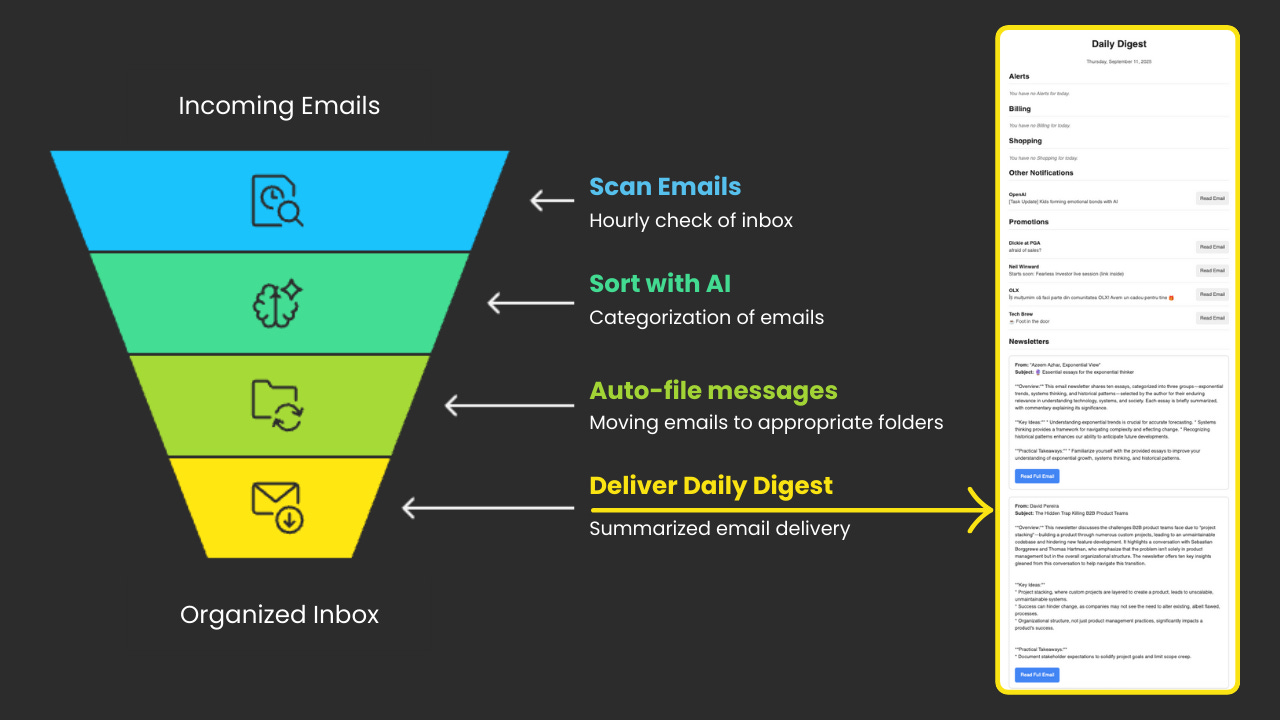
Here's how it works:
Scans emails every hour → checks your inbox automatically so nothing piles up.
Automatically sorts with AI → classifies each email into Promotions, Newsletters, Billing, Shopping, Alerts, or Notifications. These categories are just the starting point, and you can customize them or add new ones.
Auto-files messages → moves categorized emails out of your main inbox, leaving only personal conversations and urgent alerts.
Delivers a daily digest → one clean email per day with everything organized by category. Newsletters come as short summaries with links back to the originals, so you can decide what you want to deep dive and read in full.
What to expect:
Setup takes about 15-30 minutes. Once you’ve set it up the first time, the system runs entirely on its own.
No mass cleanup: Unlike comprehensive email management tools that also clean up your existing backlog (mass unsubscribing from unwanted senders and moving old emails away from your main inbox), this automation only works for daily emails received from setup day forward.
If a cleanup automation for your current old emails is something that would interest you, respond in the poll below, and we can build it in a future issue.
How “Inbox Manager” transforms your email experience
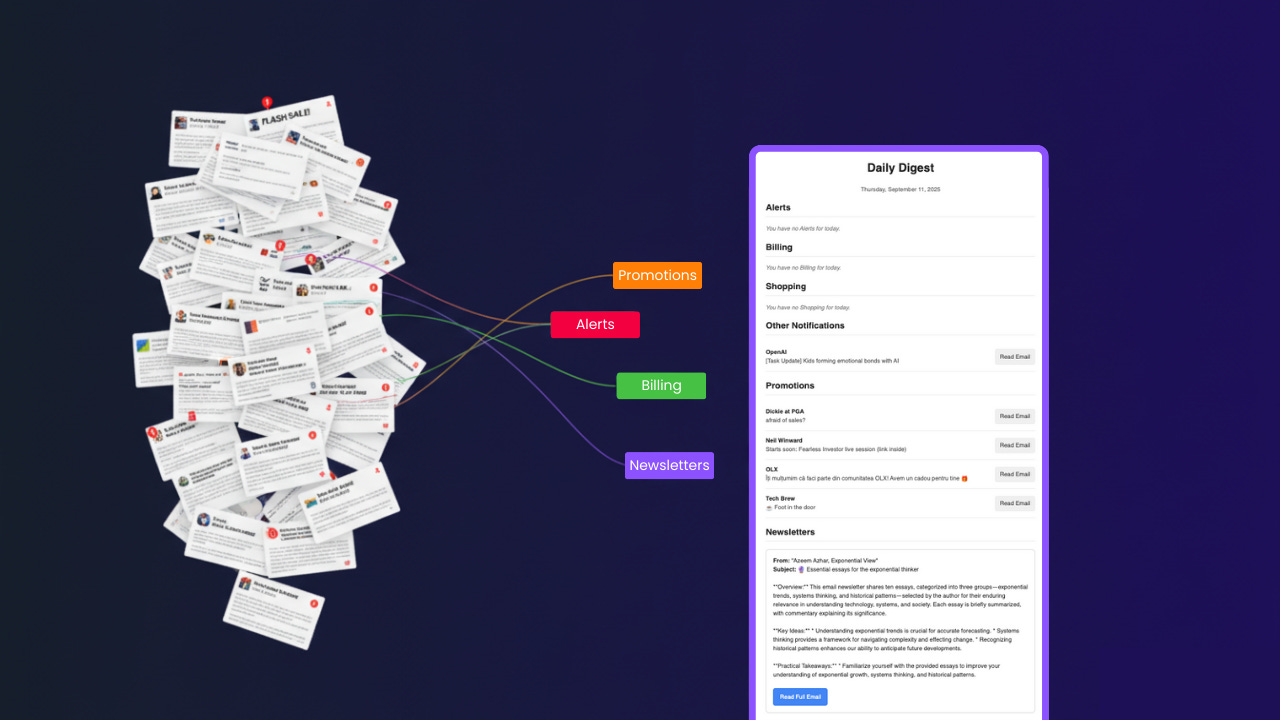
Instead of this overwhelming mess:
247 unread emails mixed together
Important client requests buried in promotional noise
Constant mental overhead deciding what deserves attention
That familiar dread every time you open your inbox
You get this organized system:
Clean inbox with only personal messages and urgent alerts
AI-powered daily digest with newsletter summaries and key insights
Complete customization to match your workflow
Your data stays yours with no third-party access
Beyond the immediate benefits, building this automation trains you to spot other repetitive tasks you could systematize. Once you feel the relief of having your inbox managed intelligently, you start noticing opportunities everywhere (from organizing files to processing meeting notes to managing project updates).
You're not just solving email, you're developing an automation mindset.
Now, let’s begin.
Step-by-step setup instructions
Follow these steps carefully to get your automation running.
You’ll have screenshots and videos for each step, so you won’t hit errors or wonder “where do I find that?” or “how do I do this?”