
Claude Cowork Plugins: What They Are, How to Build One (+ My Writing Plugin, Fully Broken Down)
Everything about Cowork plugins, the writing plugin I built (every file inside it — yours to grab), and how to build your own for any workflow. No code needed.

TLDR: Last week we deep dived into Claude Cowork. This week I’m covering Cowork Plugins — the feature behind the $285 billion “SaaSpocalypse” that makes Claude a specialist in your work, not just an assistant. I’ll walk you through all 11 official plugins, demo my favorite, show you the custom plugin I created for writing my own articles (built on top of my Claude writing skills), and give you the skill files behind it so you can adapt them to your own writing process. Plus the step-by-step framework for building your own plugin from scratch. No code needed.
The feature that wiped $285 billion off the stock market
On January 30, 2026, Anthropic added plugins to Claude Cowork and open-sourced 11 of the plugins their team uses to everyone with a paid Claude subscription.


The next day, $285 billion in market value vanished from software stocks. Thomson Reuters had its worst day on record. LegalZoom, Wolters Kluwer, ServiceNow, Adobe, they all got hit.
Analysts at Jefferies called it the “SaaSpocalypse”.
And all of this because of plugins. Not a new AI model. Not some breakthrough in reasoning. Plugins. Bundles of instructions that teach Claude your process, connect it to your tools, and make it work for you.
The reason Wall Street panicked is actually pretty simple: plugins let anyone build what used to take a SaaS company, a dev team, and a few million in funding.
Someone on your team reviews contracts against the same 15 clauses every time? That's a plugin. Your sales team follows a 6-step outreach process? Plugin. You edit every article through the same checklist? Also a plugin.
I know, because I built one for my writing.
But before I show you how, let’s talk about what plugins are, why they matter, and the critical steps you shouldn’t skip before building your own.
Here’s what we’ll cover today:
Everything inside my plugin — the commands + the 9 skills that power it (with links to grab and adapt)
What are Cowork Plugins?
You might have used Cowork before by giving Claude instructions and getting things done. Plugins take that further. You set up the workflow once, and from that point on, one command triggers an entire agentic process and hands you back the finished work.
A plugin bundles four components into one unit:
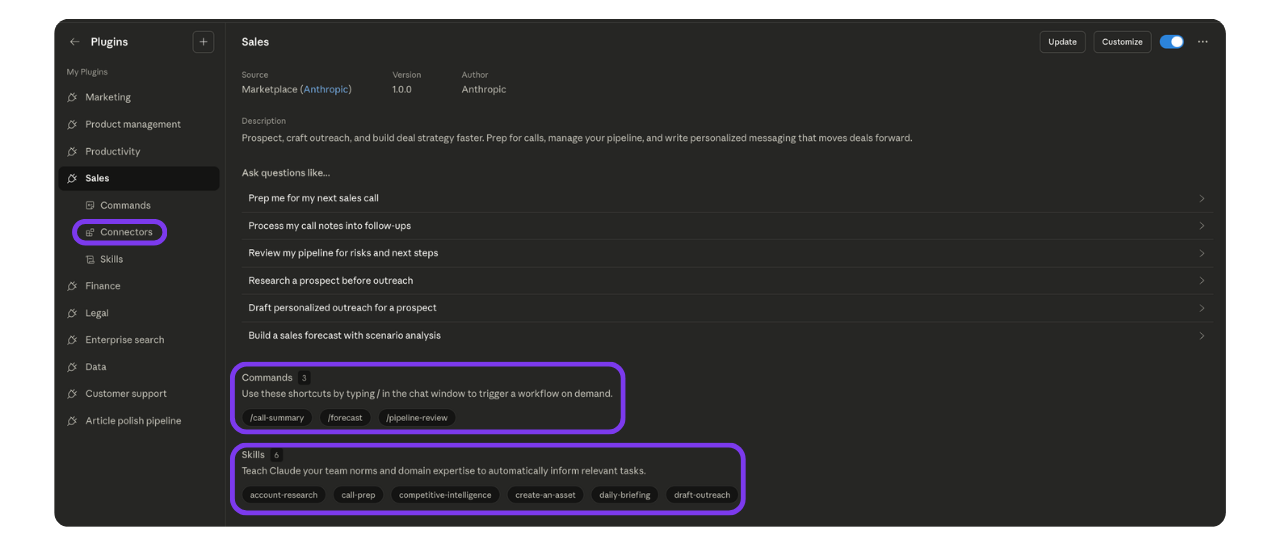
Slash commands (
commands/*.md): quick actions you trigger manually. Each markdown file defines one command, like /plugin:send-updates.Skills (
skills/*/SKILL.md): instructions that teach Claude how to do specific tasks. Claude reads these before executing anything so it knows the best way to do it.(If you're new to skills, I've written about them in detail here and here. They're worth understanding on their own before you start building plugins.)
Connectors (
.mcp.json): the config that tells the plugin which external tools it can talk to, like Notion, Gmail, or Slack.Sub-agents: parallel workers that handle pieces of a task.
The whole thing is held together by one manifest file (plugin.json) that tells Claude what the plugin is called, what version it is, and where to find everything else.
And the best part is you don't need any technical knowledge to create them in Cowork. Plugins are just files, and you can build them with Claude using simple words. I'll show you how in a bit.
How Cowork plugins work in practice
Say you’re a freelancer managing five clients. Every Friday you need to send each one a status update.
Without a plugin: You open Notion, check what’s due this week, then ask Claude to “use my client communication skill” and paste in the project details for each client. One by one. Five times. Then copy each draft into Gmail yourself.
With a Cowork plugin: You have a client management plugin set up with your skills, your Notion connector, and a few slash commands. One of them is /client-updates. So you go to Cowork, type “send /client-updates” and that's it. The plugin pulls active projects and deadlines from your Notion account, writes a status update for each client using your communication skill, flags anything overdue, and drops the drafts into Gmail ready to send. One command, five clients handled. That's agentic AI in practice.
But before we get into how you can create your own, let's start with the ones Anthropic already built. There's a good chance you'll find something useful in there.
The official plugins from Anthropic
Anthropic shipped 11 plugins, the same ones their team uses internally.
Sales, marketing, legal, finance, customer support, product management, data, enterprise search, biology research, productivity, and a meta-plugin for building your own. All free, all open source.
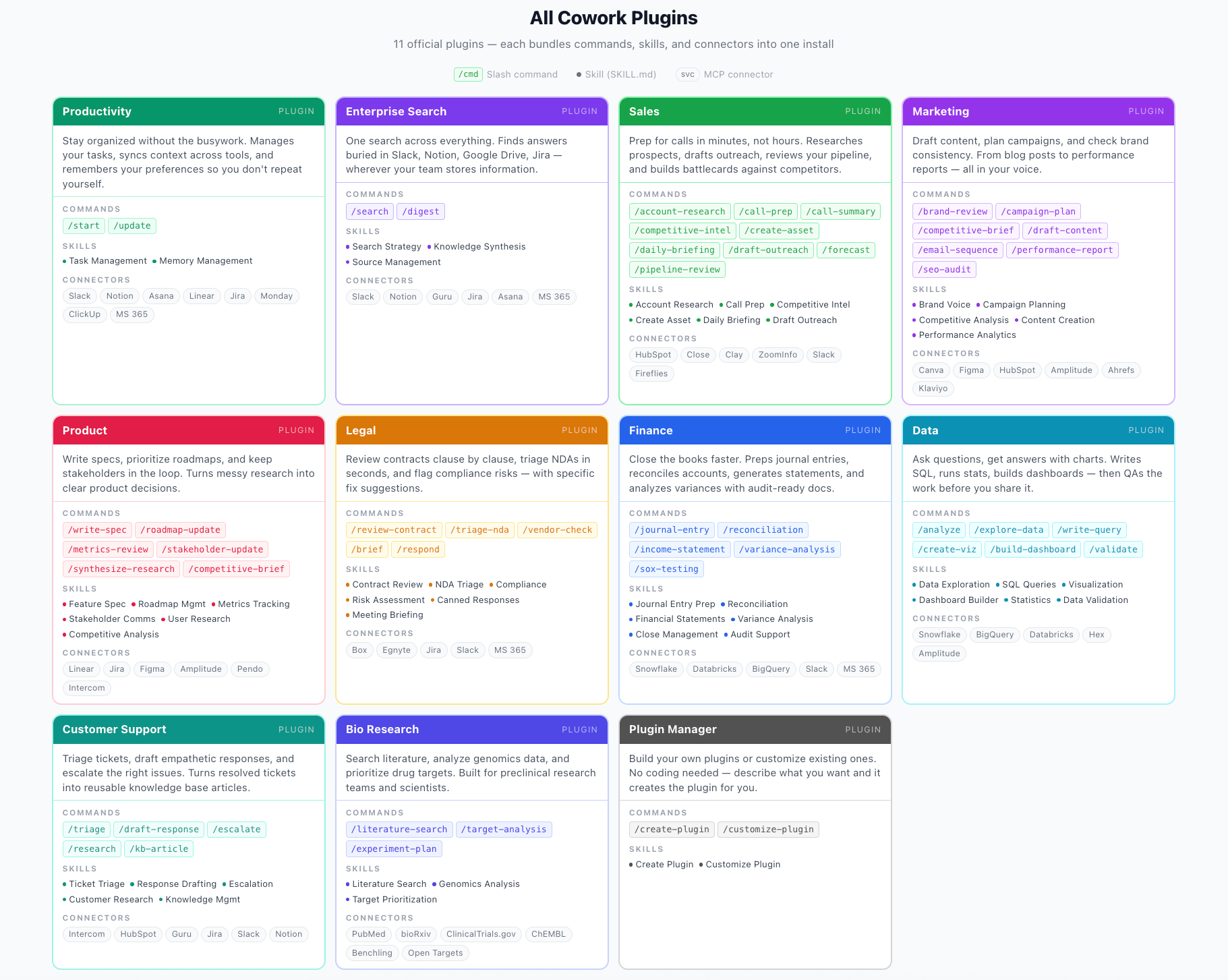
You can install them directly in Cowork, customize them to your workflow, or browse the full collection on their website and GitHub.
How to install, use, and customize plugins
Getting started is the easy part. You can install a plugin in seconds. The real work is customizing it.
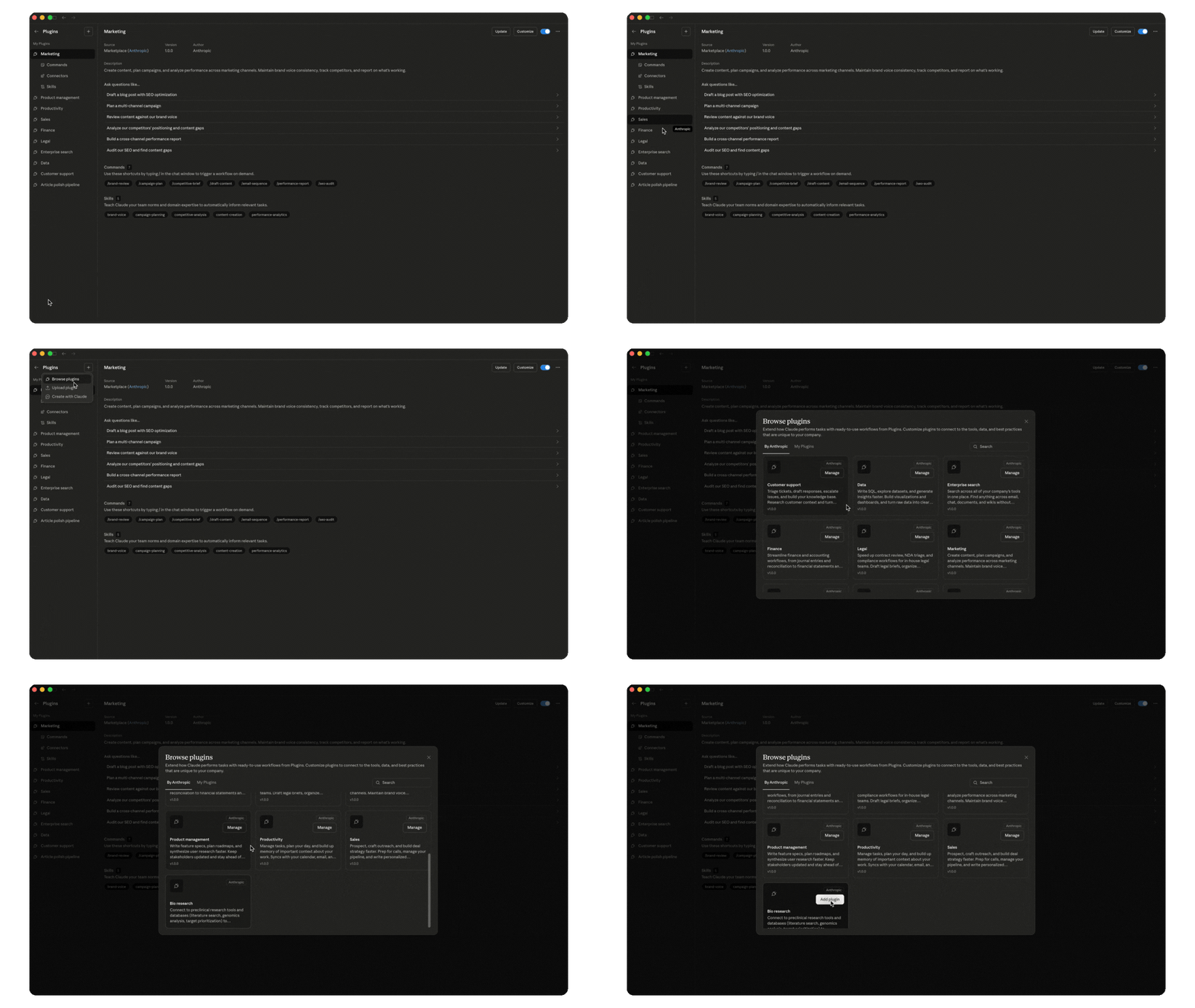
Installing
Open Cowork, go to Plugins in the sidebar, click "+", and browse the available plugins. All the official ones from Anthropic are right there. Pick one or more, click "Add plugin," and you're done.
Using them in your workflow
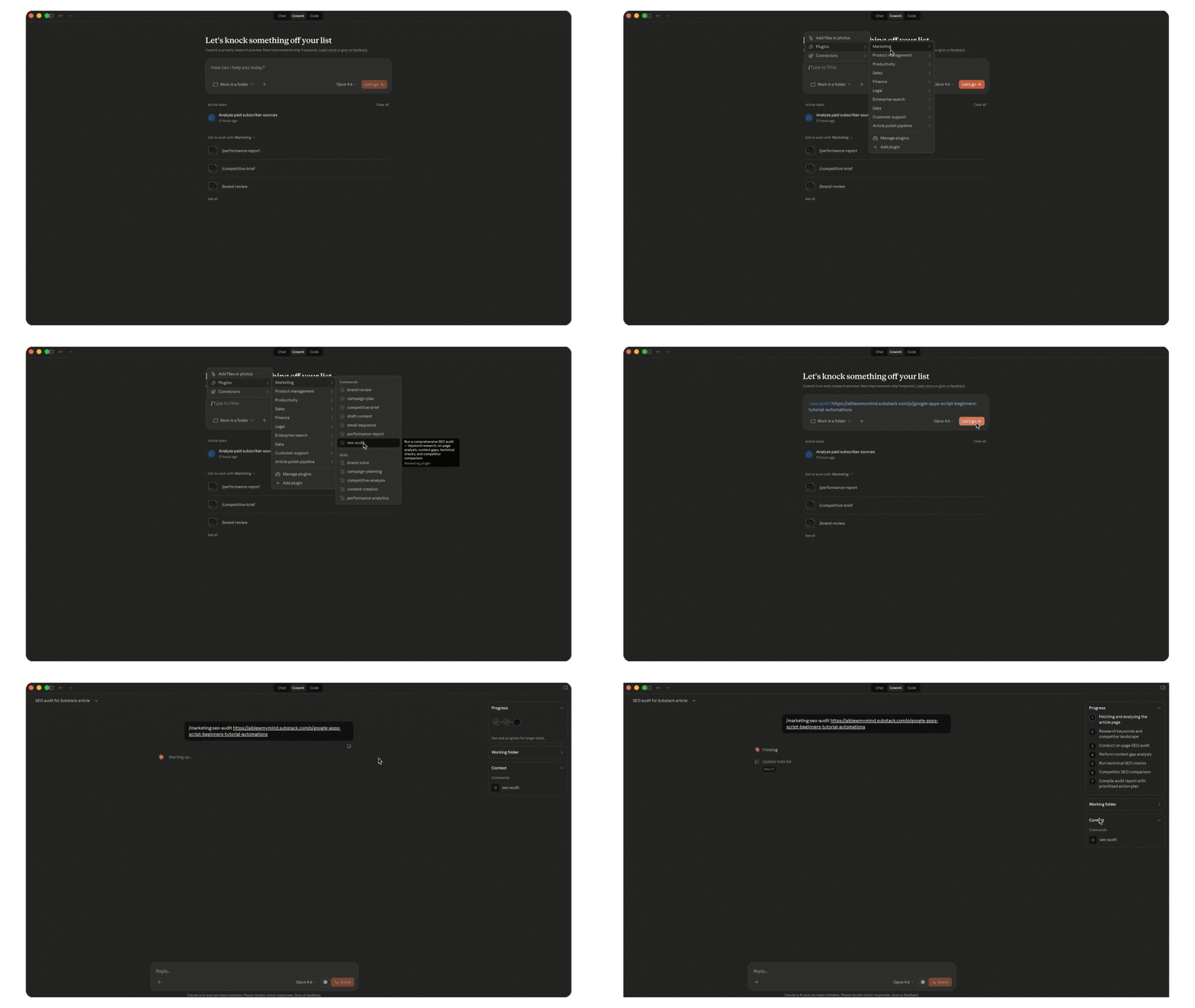
Type the command directly in the chat (like /sales:call-prep) or click + in the Cowork chat, go to Plugins, select the plugin, and pick the command or skill you want to run.
Skills also fire on their own. If you’re working on something and a skill is relevant, Claude will use it automatically. But you can always trigger one manually too.
Customizing for your work
Not everything needs customizing. Some commands and skills work great as they are. The /seo-audit command is one of my most used and I wouldn’t change a thing about it. But others get way more useful when you make them yours.
Click “Customize” on any installed plugin, and Claude walks you through it.
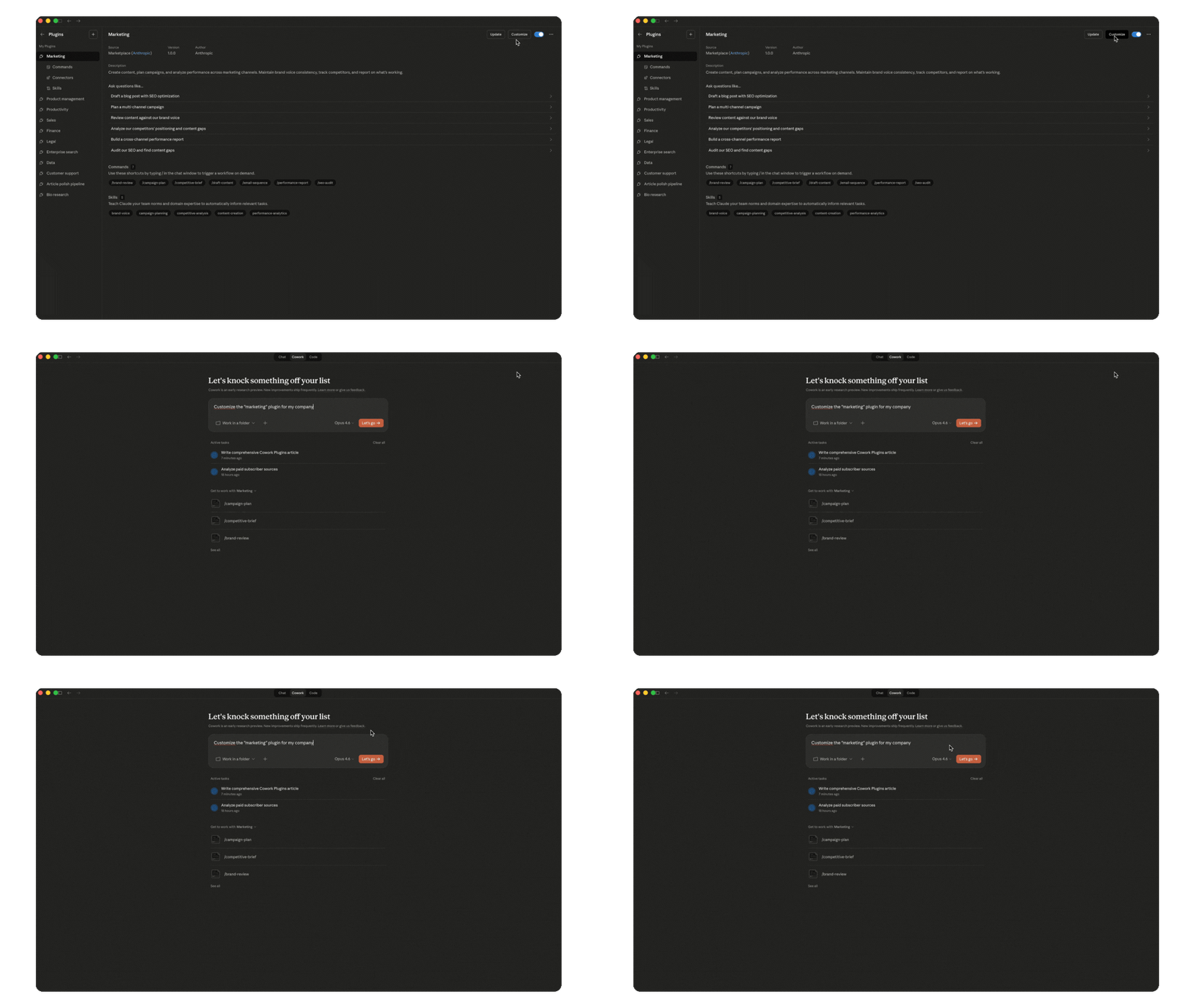
Swap the connectors to match your tool stack. Add your company’s terminology and processes. Adjust the workflows to how your team operates.
My favorite Anthropic plugin: Marketing (with demo)
Out of all 11 official plugins, the marketing one is the one I use the most. It covers everything from SEO audits to email sequences to competitive briefs.
In the demo below, I walk you through what’s inside it, how the skills and commands are structured, and then I put it to the test by asking it to create an email sequence.
You’ll see me run into some errors in the demo. Cowork was slow today and skills were glitching. It happens. The tool is still in early stages.
That's what an off-the-shelf plugin can do with a simple prompt. Now let me show you what happens when you build one around your own process.
My writing plugin in action
You already know the most important skills behind my writing process. They’ve been doing the heavy lifting for a while. But I was still running them manually every single article, until I built a plugin for it.
Before: I write the draft, bring it to Claude, it trigger my voice skills to polish it (voice DNA, article intros, audience profiles, etc.), review and go back and forth with edits, run it through the SEO audit and implement changes manually, then repurpose it for Substack notes and LinkedIn after publishing.
After: /article-polish-pipeline:polish-article. One command and the plugin runs through every step: polishing, structuring, SEO, all of it. I still do my human review and final edits, but the rest happens in one go. Then /repurpose-article and my Substack notes and LinkedIn content are ready for me to review.
Here’s a quick demo of how it works:
That’s the quick version. Now let me show you everything behind it.
Unlock the rest of this article with a paid subscription to get:
The breakdown of every file inside my writing plugin + the 9 skills that power it (with links to grab them and make them yours)
How I built it step by step with Claude (with screenshots)
The exact framework you can follow to build your own from scratch